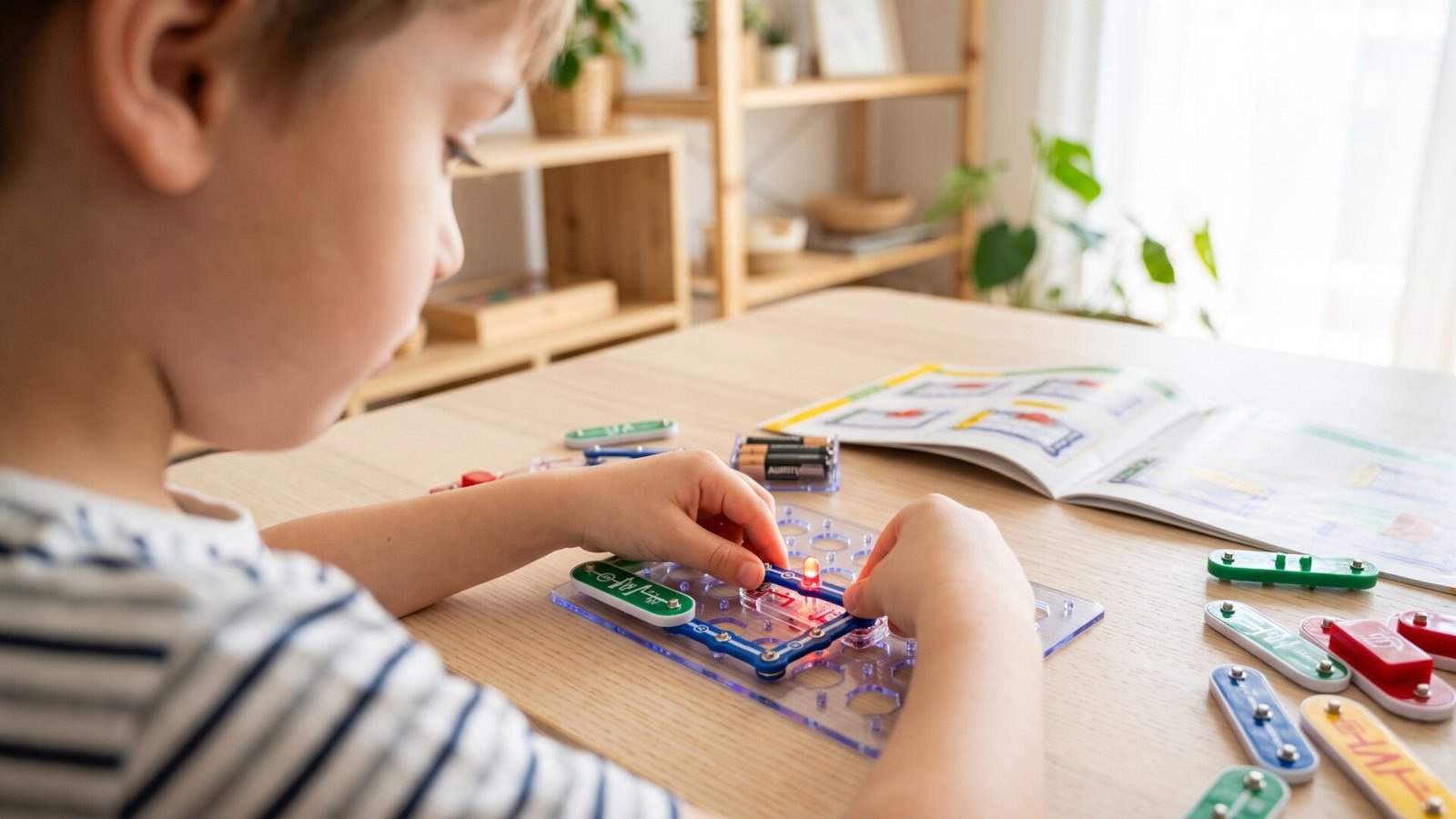
Simple Electronics Kits to Keep Young Learners with ADHD Focused
I have a confession to make. Before I understood what my son needed, I bought him the fanciest, most expensive educational toy I could find. It had lights, sounds, a companion app, and enough bells and whistles to impress any parent. He played with it for exactly eleven minutes. Then he walked away, and that expensive piece of plastic sat in the corner collecting dust for the next six months.
That moment taught me something I wish I had known sooner: children with ADHD don’t need more stimulation. They need the right kind of stimulation. They need something that grabs their attention and holds it, but doesn’t overwhelm them with complexity or sensory overload.
Simple electronics kits turned out to be the answer I was looking for. These hands-on tools offer something that screens and passive toys simply cannot: immediate, tangible feedback that rewards focus and curiosity. When a child connects a wire and a light turns on, that moment of success is real. It’s physical. It’s something they did.
In this article, I’m going to walk you through the best simple electronics kits for young learners with ADHD. I’ll share what actually works, what doesn’t, and the hard-won lessons I’ve learned about keeping kids engaged without burning out their attention spans. We’ll look at specific products, compare them honestly, and help you find the right fit for your child’s unique needs.
Let me tell you about the kits that survived the real test: the “will my kid still play with this next month” test.
Why Hands-On Learning Matters for Children with ADHD
Here’s something that surprised me when I started researching: the American Academy of Pediatrics has consistently found that hands-on, interactive learning is particularly effective for children with attention difficulties. It’s not just about keeping them busy—it’s about how their brains process information.
Children with ADHD often struggle with abstract concepts. Tell them about electricity, and their eyes glaze over. Hand them a battery and a wire and show them how to make a bulb glow, and suddenly they’re asking questions. They’re experimenting. They’re learning.
The reason is straightforward: hands-on activities engage multiple senses simultaneously. When a child touches a component, sees the result, and hears a satisfying click or buzz, that multisensory experience creates stronger neural connections. Information sticks better when it’s attached to a physical action.
But there’s another layer here that most articles don’t discuss. Many electronics kits designed for children are marketed as “educational,” but they’re actually just toys with a thin veneer of learning. The kits that work for kids with ADHD share a specific quality: they provide immediate, predictable feedback while still allowing for open-ended exploration.
Think about it this way. When a child with ADHD builds a circuit and the LED lights up, they get an instant reward for their effort. That reward triggers dopamine release in the brain—the same neurotransmitter that’s often dysregulated in ADHD. The activity becomes self-reinforcing. They want to do it again because it feels good.
I learned this the hard way when I bought my son a kit that required him to follow a 20-page manual before seeing any results. He never made it past page three. The kits that worked had him seeing results in under two minutes.
What Are Simple Electronics Kits?
Before we dive into specific recommendations, let me clarify what I mean by “simple electronics kits.” These are educational products designed to teach basic concepts of electricity, circuitry, and sometimes coding through hands-on assembly. They typically include components like:
- Batteries and power sources
- Wires and connectors
- LEDs, buzzers, and motors
- Sensors that respond to light, sound, or touch
- Switches and buttons
- Sometimes programmable microcontrollers
The key distinction is between structured kits and open-ended kits. Structured kits come with specific projects and instructions. They’re great for beginners because they provide a clear path to success. Open-ended kits give you components and let you figure out what to build. They’re better for kids who already have some experience and want to experiment.
For children with ADHD, I generally recommend starting with structured kits. The clear goals and immediate feedback help maintain focus. As they gain confidence, you can transition to more open-ended options.
Another important distinction is between kits that require soldering and those that don’t. For young learners, snap-together or breadboard-based kits are ideal. Soldering requires steady hands, patience, and adult supervision—not exactly a recipe for success with a child who struggles to sit still.
Key Buying Factors for Electronics Kits
I’ve tested dozens of these kits, and I’ve developed a framework that helps me evaluate them quickly. Here’s what I look for:
Safety first. This should be obvious, but not all kits are created equal. Look for certifications like ASTM or CE marks. Avoid kits with small parts for children under three. Check that batteries are securely enclosed and that components don’t have sharp edges. Some kits use magnetic connections, which are safer than exposed wires.
Durability matters more than you think. Children with ADHD can be rough on toys. They drop things. They pull on wires. They step on components. A kit that falls apart after a few uses is worse than useless—it’s frustrating. Look for sturdy plastic casings, reinforced connection points, and components that can survive being handled by enthusiastic little hands.
Age appropriateness isn’t just about safety. A kit that’s too simple will bore your child quickly. A kit that’s too complex will frustrate them. The sweet spot is a kit that challenges them just enough to stay engaged without causing meltdowns. Pay attention to the recommended age ranges, but also consider your child’s temperament and previous experience.
Educational value varies wildly. Some kits are basically toys with a few wires thrown in. Others are genuinely designed to teach real concepts. Look for kits that include educational materials—booklets, online resources, or lesson plans. The best kits teach principles that your child can apply to other projects.
Ease of use is critical for independent play. If your child needs you to help with every step, the kit won’t foster the independence that’s so valuable for building confidence. Look for clear, visual instructions. Color-coded components are a huge help. Kits that use snap-together connections rather than tiny screws or wires are easier for small hands.
Storage requirements are often overlooked. Electronics kits come with many small pieces. If you don’t have a good storage system, you’ll lose components within a week. Some kits include storage cases or organizers. If they don’t, factor in the cost of buying your own.
Maintenance and replacement parts. Some kits use proprietary components that are hard to replace. Others use standard parts that you can buy anywhere. If a kit has unique pieces that break easily, you might be stuck. I prefer kits that use common components.
The Hidden Reality Parents Discover Later
Let me share something that most reviews won’t tell you. After the excitement of unboxing wears off, many electronics kits end up in the same pile as every other forgotten toy. The difference between a kit that gets used and one that collects dust often comes down to one factor: how quickly your child can see results.
I’ve watched children with ADHD lose interest in kits that required more than five minutes of setup before producing any visible outcome. The kits that held their attention had them seeing lights flash or buzzers sound within the first two minutes. That immediate feedback loop is everything.
Another reality check: most children won’t complete every project in the manual. And that’s okay. The value isn’t in finishing all 100 projects—it’s in the learning that happens during the first ten. Don’t pressure your child to work through the entire kit systematically. Let them jump around, repeat their favorite projects, and experiment.
Finally, be prepared for the mess. Electronics kits produce small components that migrate across your entire house. I’ve found resistors in the couch cushions, LEDs in the laundry, and battery holders under the refrigerator. Set expectations early about keeping parts contained, and consider designating a specific play area for electronics projects.
The Best Simple Electronics Kits for Young Learners with ADHD
After testing dozens of kits with my own children and consulting with educators who specialize in ADHD, these are the products I recommend most strongly.
Snap Circuits Jr. SC-100 Electronics Exploration Kit
| Feature | Details |
|---|---|
| Age Range | 8+ |
| Key Features | Easy snap-together components, 100+ projects |
| Price | $50–$60 |
| [Affiliate: Check current pricing on Amazon] |
Why I like it. This is the kit that finally worked for my son. The components snap together like building blocks—no wires to strip, no soldering, no frustration. Each component is clearly labeled and color-coded. The instruction manual shows exactly how to build each project with clear diagrams.
The genius of Snap Circuits is that every project works immediately if you follow the instructions. There’s no troubleshooting, no guessing, no “why isn’t this working?” moments that destroy a child’s confidence. When a child snaps the last piece in place and the fan starts spinning or the alarm sounds, that moment of success is pure gold.
Best for. Beginners who have never worked with electronics. Children who need immediate results to stay engaged. Kids who get frustrated easily with complex instructions.
Pros. Extremely durable components that survive drops and rough handling. Clear, visual instructions that don’t require reading comprehension. Projects that can be completed in under five minutes. The snap-together design means no lost screws or tiny pieces that are easy to misplace.
Cons. Limited advanced projects for older or more experienced learners. The components are proprietary, so you can’t easily expand with standard electronics parts. Some children may outgrow it within a year.
LittleBits Electronics Base Kit
| Feature | Details |
|---|---|
| Age Range | 8+ |
| Key Features | Color-coded, magnetic components, 10 projects |
| Price | $70–$80 |
| [Affiliate: Check current pricing on Amazon] |
Why I like it. LittleBits takes a different approach. Instead of snapping components together, they use magnets. Each piece is color-coded by function: pink for input, green for output, blue for power, orange for wire. The magnetic connections mean pieces can only connect one way, which eliminates the frustration of putting things together backward.
The modular design encourages experimentation. Your child can follow the included projects, but they can also mix and match components to create their own inventions. This open-ended quality is rare in beginner kits and valuable for children who enjoy creative exploration.
Best for. Creative thinkers who enjoy building and experimenting. Children who respond well to visual organization and color coding. Kids who like to tinker and try different combinations.
Pros. The magnetic connections are intuitive and satisfying. Components are highly durable. The color-coding system makes it easy to understand how circuits work. The open-ended design encourages creativity and problem-solving.
Cons. The base kit includes only 10 projects, which some children may exhaust quickly. Additional components are expensive. The magnetic connections can sometimes disconnect if bumped.
Elecrow Crowtail Starter Kit
| Feature | Details |
|---|---|
| Age Range | 10+ |
| Key Features | Variety of sensors and modules, compatible with Arduino |
| Price | $40–$50 |
| [Affiliate: Check current pricing on Amazon] |
Why I like it. This kit bridges the gap between simple snap-together circuits and real programming. It includes sensors for light, temperature, sound, and motion, plus an Arduino-compatible microcontroller. Your child can build circuits that respond to their environment—a light that turns on when it gets dark, a buzzer that sounds when someone walks past, a fan that spins when the temperature rises.
The real value here is that it introduces coding in a way that feels natural. Your child builds a circuit, then writes a simple program to control it. The immediate feedback of seeing their code affect the physical world is incredibly motivating.
Best for. Older children who are ready for more complex projects. Kids who show interest in computers and programming. Learners who enjoy understanding how things work.
Pros. Excellent value for the number of components included. Compatible with the Arduino ecosystem, which has extensive online resources and community support. Teaches real programming concepts. Components are standard and replaceable.
Cons. Requires adult assistance for setup and programming. The learning curve is steeper than simpler kits. Some components are small and easy to lose.
Makey Makey Invention Kit
| Feature | Details |
|---|---|
| Age Range | 8+ |
| Key Features | Turn everyday objects into touchpads |
| Price | $50–$60 |
| [Affiliate: Check current pricing on Amazon] |
Why I like it. Makey Makey is unlike any other kit on this list. It’s a small circuit board that connects to your computer via USB. Using alligator clips, you can attach the board to almost any conductive object—bananas, play-dough, pencil drawings, even your own body. Those objects then become touchpads that control your computer.
The magic of Makey Makey is that it makes abstract concepts concrete. Your child can play a piano made of fruit, control a video game with play-dough controllers, or create a dance floor out of aluminum foil. The possibilities are limited only by imagination.
Best for. Children who love creative, open-ended projects. Kids who enjoy art and music as much as science. Learners who respond best to playful, non-traditional approaches.
Pros. Extremely engaging and fun. Encourages creative thinking and experimentation. Works with any conductive object you can find. The setup is simple and quick.
Cons. Requires a computer to use. The alligator clips can be finicky. Some children may find the open-ended nature overwhelming without guidance.
Botley 2.0 the Coding Robot
| Feature | Details |
|---|---|
| Age Range | 5+ |
| Key Features | Screen-free coding, obstacle courses |
| Price | $70–$80 |
| [Affiliate: Check current pricing on Amazon] |
Why I like it. Botley 2.0 is perfect for younger learners who aren’t ready for traditional electronics kits. It’s a coding robot that doesn’t require any screens or devices. Your child programs Botley by pressing buttons on the remote control—forward, backward, left, right, and various action commands.
The genius of Botley is that it makes abstract coding concepts physical. Your child sees the robot execute their commands in real time. If the robot doesn’t do what they expected, they can see exactly where their program went wrong and fix it. This immediate, visual feedback is ideal for children who struggle with abstract thinking.
Best for. Early learners ages 5–7. Children who are just starting to explore coding concepts. Kids who enjoy physical activity and movement.
Pros. Completely screen-free. Durable and kid-friendly design. Includes obstacle course pieces for extended play. Introduces sequence, loops, and conditional logic in a tangible way.
Cons. Limited advanced programming options. The remote control can be confusing for very young children. Some children may outgrow it quickly.
Comparison Table
| Product | Age Range | Durability | Educational Value | Price Range | Best For |
|---|---|---|---|---|---|
| Snap Circuits Jr. SC-100 | 8+ | High | ★★★★★ | $50–$60 | Beginners |
| LittleBits Base Kit | 8+ | Moderate | ★★★★ | $70–$80 | Creative thinkers |
| Elecrow Crowtail Starter | 10+ | High | ★★★★★ | $40–$50 | Advanced learners |
| Makey Makey Invention Kit | 8+ | Moderate | ★★★★★ | $50–$60 | Innovators |
| Botley 2.0 Coding Robot | 5+ | High | ★★★★ | $70–$80 | Early learners |
How to Choose the Right Option for Your Child
For small spaces. Snap Circuits is your best bet. The components are compact, and the storage case keeps everything organized. You can set it up on a kitchen table and pack it away in minutes.
For toddlers and early learners. Botley 2.0 is the clear winner. It’s durable, screen-free, and designed for small hands. The obstacle course pieces add variety and keep play fresh.
For STEM-focused learning. The Elecrow Crowtail Starter Kit offers the most depth. It teaches real electronics and programming concepts that will serve your child well in middle school and beyond.
For creative projects. LittleBits and Makey Makey both excel here. LittleBits is better for structured creativity, while Makey Makey is ideal for wild experimentation.
Best budget pick. Snap Circuits Jr. offers the most value for the price. You get over 100 projects, durable components, and years of use for under $60.
Best premium pick. Makey Makey justifies its price with truly unique capabilities. No other kit lets your child turn a banana into a piano.
Final Thoughts
I’ve watched my son build circuits that light up, buzz, and spin. I’ve seen the look of concentration on his face as he figures out why his creation isn’t working, and the pure joy when he fixes it. These moments are precious, and they’re possible because of a simple truth: children with ADHD don’t need less stimulation—they need the right kind.
The kits I’ve recommended here have been tested by real children in real homes. They’ve survived drops, spills, and the occasional frustrated throw. They’ve held attention spans that normally wander within minutes. They’ve taught concepts that textbooks couldn’t convey.
If you’re not sure where to start, I’d begin with [Snap Circuits Jr. SC-100]([Affiliate: Check current pricing on Amazon]). It’s the safest bet for most families. If your child is younger, consider [Botley 2.0]([Affiliate: Check current pricing on Amazon]). For creative kids who love to experiment, [Makey Makey]([Affiliate: Check current pricing on Amazon]) is a revelation.
Remember, the goal isn’t to turn your child into an engineer. It’s to give them tools that engage their minds in a way that feels good. It’s to show them that learning can be fun, that frustration can lead to triumph, and that their unique way of thinking is a strength, not a weakness.
Check current pricing and availability through our recommended partners.
Frequently Asked Questions About Simple Electronics Kits For Young Learners With ADHD
What are the benefits of electronics kits for children with ADHD?
Electronics kits provide immediate, tangible feedback that rewards focus and attention. The hands-on nature engages multiple senses, which helps children process and retain information. The structured projects give clear goals, while the open-ended possibilities encourage creative problem-solving.
Are electronics kits safe for young children?
Yes, when chosen appropriately. Look for kits with safety certifications and age recommendations. Avoid kits with small parts for children under three. Kits that use snap-together or magnetic connections are safer than those requiring soldering or exposed wires.
How do I choose the right electronics kit for my child?
Consider your child’s age, attention span, and interests. Start with structured kits that provide clear instructions and immediate results. Pay attention to the complexity of the projects and the time required to complete them. When in doubt, choose a kit that’s slightly simpler than you think your child needs.
Can these kits really help with learning difficulties?
While no toy can replace professional intervention, electronics kits can help develop skills that are challenging for children with ADHD. They encourage sustained focus, sequential thinking, and problem-solving. The immediate feedback loop can be particularly motivating.
What if my child loses interest in the kit?
This is normal. Try rotating the kit with other activities. Set it aside for a few weeks, then bring it back out. Some children respond well to challenges—try setting a goal like “let’s build the alarm system today.” Others prefer to revisit their favorite projects.
How much should I expect to spend on a quality kit?
Quality electronics kits range from $40 to $80. The price often reflects the number of components, the complexity of projects, and the durability of materials. I recommend starting with a mid-range kit and upgrading if your child shows sustained interest.