Screen-Free Coding Toys for 8‑Year‑Olds: Botley 2.0 vs Code & Go Robot Mouse
Coding isn’t just tapping on a tablet. With screen-free robots, an 8-year-old can practise the logic behind programming in a hands-on, physical way, and many kids find this more engaging than app-based learning.
This article compares two popular screen-free coding robots, Botley 2.0 and the Code & Go Robot Mouse, both from Learning Resources. We cover how each one teaches, how hard it is to learn, how engaging it is, and which makes more sense for an 8-year-old. We also look at a point many guides skip: both robots are labeled for younger children than eight, so we’ll look at what that means in practice and give you a quick way to tell whether your child will outgrow them.
Quick Comparison
| Botley 2.0 The Coding Robot (78-piece set) | Code & Go Robot Mouse Activity Set | |
|---|---|---|
| Maker | Learning Resources | Learning Resources |
| Labeled age | 5+ (some retailers list 5–10; Kindergarten– 5th grade) | 4+ (PreK+) |
| Programming | Remote programmer; up to 150 steps; six directions, 45-degree turns, code-by-color mode; 40 coding cards | Directional buttons on the mouse; 30 double-sided coding cards and 10 activity cards; 83 pieces in total |
| Batteries | 5 AAA in total (3 in the robot, 2 in the remote); not included | 3 AAA; not included |
| Typical price (USD) | About $70–$100 | List about $72 |
| Best for | Kids ready for longer sequences and “if-then” thinking | Beginners and puzzle-lovers |
| Main limit for an 8-year-old | May be easy within weeks for an experienced coder | Simple, linear programming; younger-feeling |
Specs and prices were checked against retailer listings for Learning Resources products in late 2026. Prices change often, so confirm before buying.
Is Your 8-Year-Old Ready? A Five-Minute Paper Test
Most buying guides tell you to match the toy to the age label. A better check costs nothing: before you buy, draw a simple grid maze on paper and ask your child to write down the arrows (forward, left, right) that get a token from start to finish.
- They struggle or make mistakes they have to fix: the Robot Mouse is a good first step. It turns that exact exercise into a toy.
- They finish quickly but want longer routes with repeats: Botley 2.0, which holds sequences of up to 150 steps and adds loops, is the better fit.
- They solve it in moments, and have already used Scratch or another block language: skip both and go straight to the step-up options at the end of this article.
This matters because several other guides warn that screen-free robots can feel limiting once basic logic clicks. The paper test tells you whether that applies to your child before you spend $70 or more.
Honest Age Check: Is an 8-Year-Old Too Old?
Botley 2.0 is labeled for ages 5 and up, and some retailers list it up to age 10. The Code & Go Robot Mouse is labeled for ages 4 and up. An 8-year-old is inside the range for Botley but beyond the target for the Mouse. That doesn’t make either a bad choice, but it affects expectations:
- An 8-year-old who has never coded will likely enjoy Botley 2.0 for a good while, because it has room to grow.
- An 8-year-old who has already done Scratch or other block coding may find both robots easy, and could move on to more advanced kits. See our beginner coding kits for 5–7 year olds and robotics kits for 10–12 year olds for the steps before and after.
- The Robot Mouse is the better fit for a younger sibling, and an 8-year-old can help “teach” it, which is a nice way to practise explaining logic.
Why Screen-Free Coding for 8-Year-Olds?
A quick note on why screen-free robots are a good option for kids around 8: families who want to limit screens as children get older can still practise sequencing and debugging; a robot that moves shows right away whether the plan worked, so mistakes become something to fix rather than fail; mazes and challenges work well with siblings or friends; and without apps there is no software to go out of date.
Meet the Robots
Botley 2.0
Botley 2.0 is the upgraded version of the original Botley robot. It is built for 100% screen-free coding using a remote programmer and physical command cards.
Key details:
- Supports coding sequences of up to 150 steps, with movement in six directions and programmable 45-degree turns.
- The remote programmer lets kids enter movement commands and use more advanced commands such as loops. A code-by-color mode and a “Botley Says” memory game add other ways to play.
- A light sensor lights Botley up in the dark, and the robot can change into 16 characters such as a train or a police car using the detachable arms and face masks.
- The 78-piece set adds 40 coding cards, 6 coding boards, sticks, cubes, cones, flags, balls and a goal for building obstacle courses. A smaller 46-piece set also exists.
- Uses 5 AAA batteries in total (not included). Labeled for ages 5+.
Botley 2.0 Pros & Cons
Pros
- Strong room to grow, with long programs and a good range of commands
- Obstacle-course pieces make challenges easy to invent
- Card-based approach guides beginners
Challenges
- Some families report that line-following or pairing can be finicky
- Battery use is high at 5 AAA
- Needs more setup than the Mouse
Code & Go Robot Mouse
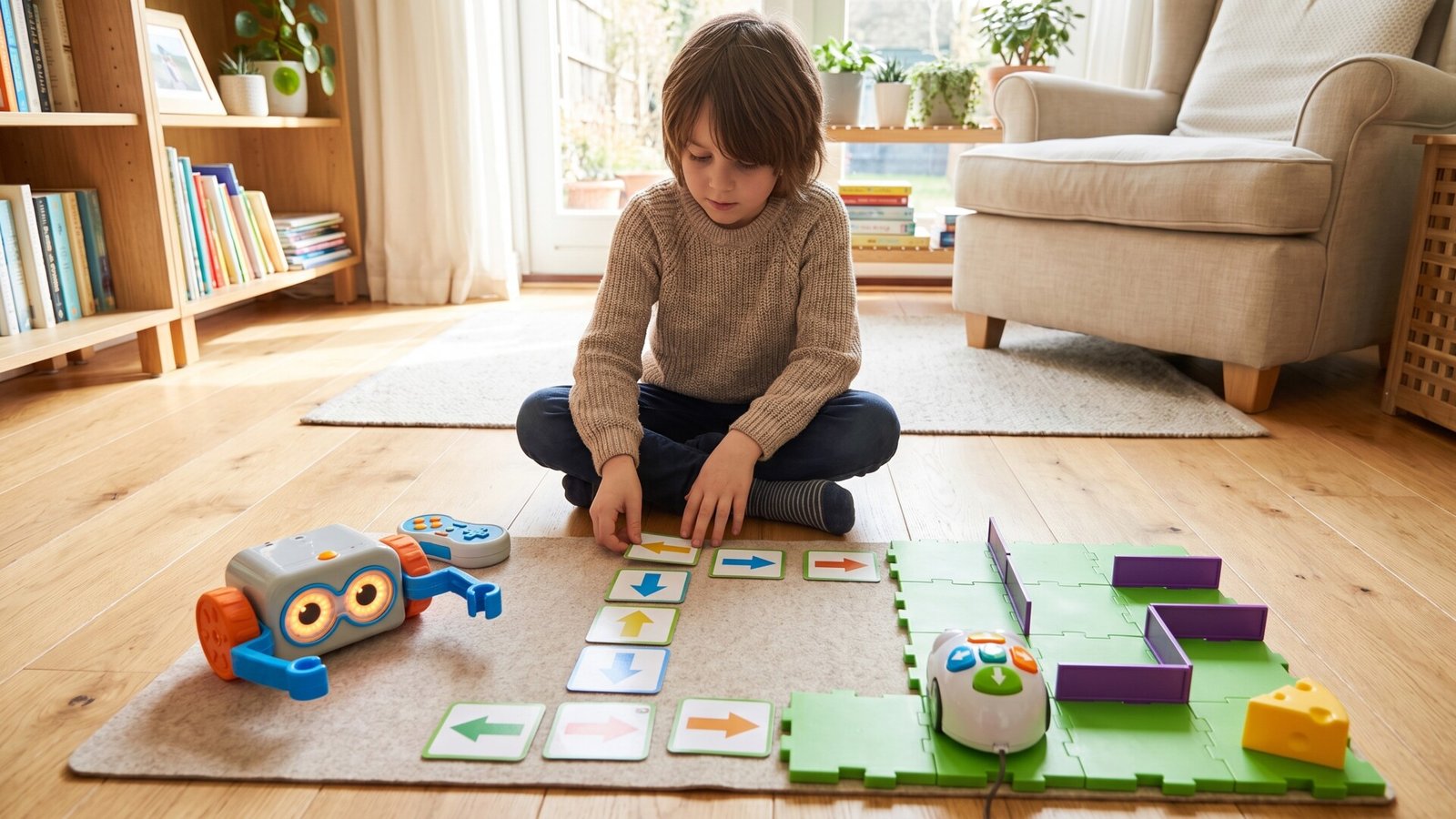
The Code & Go Robot Mouse (called “Colby”) moves across a maze grid. Kids program it with buttons on its back and a set of coding cards.
Key details:
- Programmed with directional buttons on the mouse (forward, backward, left and right turns). The mouse lights up, makes sounds and has two speeds.
- 83 pieces in total: 16 maze grids that connect into a larger board, 22 maze walls, 3 tunnels, a cheese wedge, 30 double-sided coding cards, 10 double-sided activity cards and an activity guide.
- Simple step-by-step programming, aimed at sequencing rather than loops or conditionals.
- Uses 3 AAA batteries (not included). Labeled for ages 4+, with a list price around $72.
Code & Go Robot Mouse Pros & Cons
Pros
- Very accessible, with large buttons and intuitive cards
- Quick to set up on a table
- Maze building adds replay value
Challenges
- The simple programming model may feel limited for a child ready for more
- Less program memory than Botley’s 150 steps
- Many small pieces to keep track of; some reviewers mention the mouse drifting slightly off course
Learning Curve and Engagement
Botley 2.0: Setup means pairing the remote, inserting batteries and laying out cards, and new coders pick up the basics fairly quickly. Loops and other commands let children practise repeating patterns and “if-then” thinking, and long sequences give them something to debug when a run goes wrong. Detachable arms and add-on sets keep it interesting. Expect a moderate learning curve for an 8-year-old, with better long-term play value. Kids who enjoy extended problem-solving tend to stick with it, and the robot’s lights, sounds and transformations give it more personality than the Mouse.
Robot Mouse: Setup is very simple: place the mouse on the grid, insert batteries and start pressing buttons. Children practise linear sequences, directions and left versus right turns, and the reset button lets them try again quickly, though programs are short. The fun comes from designing new mazes, which also keeps motivation up through quick cycles of coding, testing and resetting. It works well for turn-based games with siblings. Because the programming is simple, older kids may tire of it sooner unless they design harder mazes.
Neither robot guarantees a particular result, and learning depends on the child. For children who like routine and predictability, both behave consistently, which some families find reassuring.
Practical Considerations
| Factor | Botley 2.0 | Robot Mouse |
|---|---|---|
| Play surface | Flat floor or table with clear space | Table with the included grid |
| Batteries | 5 AAA; higher use | 3 AAA; lower use |
| Group play | Possible with care; check instructions | Better for turn-taking |
| Reliability | Some reports of pairing or tracking issues | Simple mechanics; buttons can wear with heavy use |
| Cost | Higher; more features | Lower; simpler |
| Growth | Longer-lasting for a beginner | Great starter; outgrown sooner |
What an 8-Year-Old Actually Learns From These Robots
The value is in the thinking, not the toy. Here is how the robots map onto real coding ideas, and where each one stops:
- Sequencing: Both robots need steps in the right order. This is the core idea behind every program.
- Debugging: When the robot misses the goal, the child works out which step went wrong. This is the habit that transfers best to later coding.
- Loops and longer programs: Botley 2.0’s loop commands and 150-step memory let children write shorter, smarter programs. The Mouse stays with simple sequences.
- Breaking a problem into parts: A big maze becomes three short legs. Neither robot teaches this directly, but good challenges draw it out.
Block languages such as Scratch use the same ideas on a screen, so a child who has practised these concepts with a robot often finds that next step easier. Neither robot teaches variables, or typed code, which is the point at which the step-up kits below start to make sense.
Botley 2.0 vs the Original Botley
If you are tempted by a second-hand original Botley, know what you are giving up. Botley 2.0 adds programmable 45-degree turns, a code-by-color mode, a “Botley Says” memory game, multi-color light-up eyes and a light sensor, and its listings cite sequences of up to 150 steps. Some review sites that cover the earlier robot cite shorter programs, around 80 steps. For an 8-year-old, the longer memory and extra turn angles are the features that give the robot staying power, so the newer model is the safer buy.
Price and Value: The Gap Is Smaller Than You Think
The Robot Mouse has a reputation as the budget option, but at list price the gap is modest. We found the Botley 2.0 78-piece set listed from about $70 to $100 across retailers, with one specialist at $89.99, while the Robot Mouse Activity Set lists around $72. That leaves a difference of roughly $0 to $30, and the Mouse has fewer long-term features. Some retailers do sell the Mouse for less (one UK shopping guide lists it at about £35), so compare current offers before deciding that price should settle it. If the two cost nearly the same where you shop, an 8-year-old who has never coded usually gets more from Botley.
How to Choose for an 8-Year-Old
| If your child… | Choose… |
|---|---|
| Loves robots and wants “real programming” | Botley 2.0 |
| Enjoys puzzles and building mazes | Robot Mouse |
| Will share with a younger sibling | Robot Mouse (or both) |
| Has never coded and wants growth room | Botley 2.0 |
| Has already done block coding and wants a challenge | Neither: look at more advanced kits |
| Is budget-sensitive | Robot Mouse |
Common Mistakes When Buying a Coding Robot for This Age
- Going by the age label alone: A label of 4+ or 5+ says the robot is safe and usable at that age, not that an 8-year-old will find it challenging.
- Forgetting the batteries: Neither robot includes them, and Botley 2.0 needs five AAA. Buy them with the robot so it works on day one.
- Buying the smaller Botley set: If your child will build obstacle courses, the extra pieces in the 78-piece set are what keep it interesting.
- Expecting solo play at first: Plan to sit with your child for the first few sessions, then step back once they are setting their own goals.
Challenges That Keep an 8-Year-Old Interested
The toys are simple, but the way you set challenges decides whether an older child stays interested. Four ideas that work with either robot:
- Fewest steps: Challenge your child to reach the goal with as few commands as possible, then compare routes.
- Write it first: Have them plan the route on paper, predict where the robot will end up, then test the prediction.
- Debug a broken program: A parent or sibling sets up a program with a deliberate mistake, and your child finds and fixes it.
- Design for someone else: Your child builds a maze or obstacle course for a younger sibling and writes the instructions card.
These turn a robot a younger child would use to follow instructions into a tool an 8-year-old uses to design and test them, which is where the real coding thinking happens.
If They Outgrow These: Next Steps
If your child masters these quickly, you have options. See our guides to coding games without a tablet and introducing STEM early, or the broader STEM toys for kids hub. Retailer and review listings point to a few step-up robots for ages 8 and up:
- Makeblock mBot (ages 8–12): a build-it-yourself robot kit that moves from Scratch toward Arduino; the newer mBot2 is listed with Scratch and Python.
- Sphero BOLT (ages 8+): an app-controlled robot that goes from drag-and-drop programming to JavaScript and Python.
- Wonder Workshop Dash (ages 6+): a voice-activated, app-based robot; see our Botley 2.0 vs Dash & Dot comparison for how it differs.
- CircuitMess Bit 2.0 (ages 7+): a kit where children build a small game console before coding it.
These all use screens or apps, so they trade the screen-free benefit for deeper programming. Note also that LEGO retired its MINDSTORMS line at the end of 2022, so check availability if you come across it in our LEGO Mindstorms guide or in second-hand listings; the current LEGO Education options include SPIKE Prime.
Safety and Buying Tips
- Batteries: Use quality AAA batteries and keep battery compartments screwed shut. Remove batteries if a robot will be stored for a long time. Rechargeable AAAs save money, since batteries are not included.
- Small parts: Both sets carry a choking-hazard warning and are not for children under 3. Keep cards, maze walls and robot arms away from younger siblings.
- Supervision and space: Spend the first sessions together, keep Botley on a clear, flat surface away from stairs, and store pieces in a small box or zip bag.
- Check what is in the box: Botley 2.0 is sold as a 46-piece or 78-piece set, so compare like with like before comparing prices.
- Buy from reputable sellers: Stick to the manufacturer or authorized retailers to avoid counterfeit or used items missing parts, and watch for deals below list price.
Frequently Asked Questions About Screen-Free Coding Toys For 8-Year-Olds
Should I buy the 46-piece or 78-piece Botley 2.0 set?
Both include the robot, remote programmer, detachable arms and 40 coding cards. The larger 78-piece set adds coding boards and obstacle pieces such as sticks, cubes, cones and flags. For an 8-year-old who will build courses and challenges, the larger set is usually worth the extra cost.
Does the Robot Mouse drift off course?
Some reviewers report that it drifts slightly. Reset the program, place the mouse squarely on its starting square and check that the battery level is good, since weak batteries are a common cause of odd movement with battery-powered robots.
Can an 8-year-old and a 5-year-old use the same robot?
Yes. The Robot Mouse suits turn-taking and mixed ages best. A younger child can press the buttons while the older one plans the route or builds the maze. Botley also works if the older child sets up the course and writes the cards.
Do these robots need an app, tablet or Wi-Fi?
No. Both are screen-free. Botley 2.0 uses a remote programmer and cards, and the Robot Mouse uses buttons on its back and cards. You only need AAA batteries, which are not included.
What if my child finishes the starter challenges in a week?
Try the harder challenge ideas above, such as fewest steps or debugging a broken program. If those are easy too, your child has likely outgrown screen-free robots, so look at the step-up options such as mBot or Sphero BOLT.
Conclusion
- Botley 2.0: Best for 8-year-olds who are new to coding and want a robot with room to grow.
- Code & Go Robot Mouse: Best for beginners, puzzle lovers, younger siblings and tighter budgets.
- Neither: Best if the paper test shows your child already handles longer routes with ease.
Both give hands-on, screen-free practice with the ideas behind coding. The right choice depends on your child’s experience, personality and play style—and on being honest about whether they are ready for something more advanced.