Beginner Coding Kits for 5-7 Year Olds
I have a confession to make. When my oldest turned five, I bought him a coding kit that I was absolutely certain would turn him into a mini-programming prodigy. It sat on the shelf for three months, untouched, because the instructions were written for someone with a computer science degree, not a kindergartener who still needed help tying his shoes.
I learned something important that day. The best coding kit for a five-year-old isn’t the one with the most impressive feature list. It’s the one that actually makes it off the shelf and into their hands.
As parents, we hear constantly that coding is the new literacy. That our children need to learn it to thrive in a digital world. And there’s truth to that. But here’s what the marketing materials don’t tell you: coding for young children isn’t about writing lines of Python or JavaScript. It’s about teaching logic, sequencing, and problem-solving through play. It’s about building the foundation before the house.
In this guide, I’m going to walk you through the best beginner coding kits for children ages five to seven. I’ve tested these with my own kids and with friends’ children. I’ve watched what actually holds their attention and what gets abandoned after ten minutes. I’ll share what I’ve learned, including some honest disappointments, so you can make a choice that fits your child, your home, and your budget.
Let’s start with why this matters in the first place.
Why Coding Matters for Early Development
I used to think coding was something you learned in high school, maybe earlier if you were particularly gifted. Then I watched my five-year-old nephew figure out how to program a simple robot to navigate a maze, and I realized I had it completely backwards.
Coding for young children isn’t about preparing for a career. It’s about teaching a way of thinking. When a child learns to code, they learn to break down big problems into smaller steps. They learn that order matters. They learn that mistakes are opportunities to try again, not failures.
The American Academy of Pediatrics has noted that screen-based learning can be beneficial when it’s interactive, educational, and age-appropriate. That’s exactly what good coding kits provide. They’re not passive entertainment. They’re active problem-solving.
I understand the concern about screen time. I share it. But here’s the nuance that often gets lost: not all screen time is created equal. A child staring at a tablet while a video plays is very different from a child using that same tablet to tell a robot to move forward, turn left, and pick up a block. One is consumption. The other is creation.
The market has responded to this need. Coding toys for young children have exploded in popularity, and for good reason. Parents want tools that prepare their children for the future without sacrificing the joy of childhood. The best coding kits do exactly that. They turn learning into play.
What Coding Kits Actually Are
Let me clarify something important. When I say “coding kit,” I’m not talking about a textbook or a subscription to an online course. I’m talking about a physical product that teaches coding concepts through hands-on activities.
Some kits are completely screen-free. They use cards, buttons, or physical blocks that children arrange to create sequences. Others combine physical components with a tablet or computer app. Both approaches have their strengths, and I’ll cover both in this guide.
The key terminology you’ll encounter includes “block coding,” which uses visual blocks that snap together like puzzle pieces to represent commands. This is how most young children learn to code. There’s no typing involved. No syntax errors. Just drag, drop, and watch what happens.
An algorithm is simply a set of instructions for completing a task. When your child tells a robot to move forward three steps, turn right, and move forward two more steps, they’ve written an algorithm. They just don’t know it yet.
The distinction between screen-based and screen-free kits matters more than you might think. Screen-free kits are ideal for families trying to limit device time. They’re also excellent for young children who might struggle with the abstraction of a screen-based interface. Screen-based kits, on the other hand, often offer more complexity and variety, which can keep older children engaged longer.
Neither approach is inherently better. The right choice depends on your child’s personality, your family’s screen time philosophy, and the space you have available.
Key Buying Factors
Before I get to specific recommendations, let me share the criteria I use when evaluating coding kits. These are the factors that matter most for children ages five to seven.
Safety comes first. Every kit I recommend uses non-toxic materials and has appropriate safety certifications. Small parts are a concern with some kits, so I’ll note which ones require supervision.
Durability is crucial at this age. Children this young are not gentle with their toys. They drop things. They step on things. They throw things when frustrated. A coding kit that falls apart after a week is not a good investment.
Age appropriateness is more nuanced than you might think. A kit labeled for ages five and up might be perfectly fine for a mature five-year-old but completely frustrating for an impulsive one. I’ll give you my honest assessment of where each kit falls on this spectrum.
Educational value is why you’re buying this in the first place. Does the kit actually teach coding concepts, or is it just a toy with a “coding” label slapped on? I’ve seen both, and I’ll tell you which is which.
Ease of use matters enormously. If the setup takes thirty minutes and requires reading a dense manual, your child will lose interest before you even start. The best kits let children start playing within minutes of opening the box.
Storage requirements are something I learned to consider the hard way. Some kits come with dozens of small pieces that need to be organized. Others are relatively self-contained. Think about where this will live in your home.
Maintenance is another hidden consideration. Some electronic components need batteries replaced regularly. Others require firmware updates. I’ll note which kits are low-maintenance and which require more attention.
Pros and Cons of Coding Kits
Let me be honest about what these kits do well and where they fall short.
On the positive side, coding kits provide engaging hands-on activities that feel like play, not schoolwork. They facilitate collaborative play, which is valuable for siblings or playdates. And they develop skills that extend far beyond coding: patience, persistence, logical thinking, and creativity.
But there are downsides too. Many kits require adult supervision, especially for younger children. Some concepts can be frustrating for kids who aren’t ready for abstract thinking. And the cost can add up quickly, especially for kits that require ongoing purchases or subscriptions.
I’ve found that the key to success is matching the kit to the child, not to your aspirations for them. A child who loves building will thrive with a construction-based coding kit. A child who loves puzzles will prefer one that focuses on logic challenges. A child who loves robots will enjoy anything that moves.
Main Product Recommendations
Now let’s get to the heart of this guide. These are the coding kits I’ve tested and can recommend with confidence.
LEGO Education SPIKE Prime
| Feature | Details |
|---|---|
| Age Range | 6+ |
| Key Features | Hands-on building, block coding, interactive app |
| Affiliate Program | LEGO Affiliate Program |
Why We Like It
This kit combines the universal appeal of LEGO with genuine coding education. Children build physical models using LEGO elements and then program them using a simple drag-and-drop interface based on Scratch. The app includes guided lessons that walk children through increasingly complex challenges.
Best For
Kids who already love LEGO and enjoy construction. If your child spends hours building, this kit will feel natural and exciting. It’s also excellent for children who need a tangible reward for their coding efforts. Watching a model they built actually move is deeply satisfying.
Pros
The versatility is remarkable. You can build dozens of different models with the included pieces, and the coding challenges range from very simple to quite complex. This means the kit grows with your child. A six-year-old can use it for basic movement commands, while a ten-year-old can program more sophisticated behaviors.
Cons
The price point is significant. At around $350, this is an investment. The kit also requires a tablet or computer for the programming interface, so it’s not completely screen-free. And younger children will need significant adult help, especially with the initial setup.
[Affiliate: Check current pricing and availability for LEGO Education SPIKE Prime]
Osmo Genius Starter Kit for iPad
| Feature | Details |
|---|---|
| Age Range | 5-10 |
| Key Features | Interactive games, coding challenges |
| Affiliate Program | Amazon Associates |
Why We Like It
Osmo takes a completely different approach. Instead of building physical objects, children use physical game pieces that interact with the iPad’s camera. The system recognizes what the child is doing on the table and responds in the game. It’s clever, engaging, and surprisingly effective.
Best For
Children who enjoy tablet-based learning but need a physical component to stay engaged. The genius of Osmo is that it pulls children away from the screen and back to the table, even though the screen is part of the experience. It’s also excellent for families who already own an iPad.
Pros
The variety of games included in the Genius Starter Kit means children can explore different types of thinking. The coding-specific games teach sequencing, pattern recognition, and logical thinking in ways that feel completely natural. The physical pieces are durable and easy for small hands to manipulate.
Cons
You need an iPad. That’s a significant requirement if you don’t already own one. The system also requires a stand and reflector that takes up table space. And while the games are excellent, some children may exhaust the content after several months of regular use.
[Affiliate: Check current pricing and availability for Osmo Genius Starter Kit]
Tynker Coding for Kids
| Feature | Details |
|---|---|
| Age Range | 5-14 |
| Key Features | Online courses, coding games |
| Affiliate Program | Tynker Affiliate Program |
Why We Like It
Tynker is a comprehensive online platform rather than a physical product. It offers hundreds of coding tutorials, games, and challenges that teach everything from basic sequencing to more advanced concepts. The subscription model means new content is added regularly.
Best For
Children who thrive with online learning and enjoy working independently. Tynker’s interface is designed for self-directed exploration, which is excellent for confident learners. It’s also a good choice for families who want a long-term solution rather than a one-time purchase.
Pros
The breadth of content is impressive. There are courses for every age and skill level within the 5-14 range. The platform uses a game-like reward system that keeps children motivated. And because it’s entirely digital, there’s nothing to store or clean up.
Cons
It requires internet access and a device, which means screen time is unavoidable. The subscription cost adds up over time. And some children miss the tactile experience of physical toys. I’ve also found that the platform works best for children who already have some basic reading skills.
[Affiliate: Check current pricing and availability for Tynker Coding for Kids]
Kano Computer Kit
| Feature | Details |
|---|---|
| Age Range | 6+ |
| Key Features | Build your own computer, coding challenges |
| Affiliate Program | Amazon Associates |
Why We Like It
This kit teaches both hardware and software. Children actually build a working computer, connecting components like the processor, memory, and keyboard. Then they use that computer to learn coding through guided challenges and creative projects.
Best For
Children who are curious about how technology works, not just how to use it. If your child asks questions about what’s inside their tablet or why computers do what they do, this kit will satisfy that curiosity. It’s also excellent for building confidence and technical literacy.
Pros
The hands-on hardware experience is unique among coding kits. Children develop a genuine understanding of how computers work, which is rare and valuable. The coding challenges are well-designed and progressively more difficult. And the finished product is a real, usable computer.
Cons
The assembly can be complex for younger children. Most six-year-olds will need significant adult help. The kit also requires a separate monitor or TV to display the output, which adds to the cost and space requirements. And some children find the coding challenges less engaging than more game-like alternatives.
[Affiliate: Check current pricing and availability for Kano Computer Kit]
Botley 2.0 the Coding Robot
| Feature | Details |
|---|---|
| Age Range | 5+ |
| Key Features | Screen-free coding, interactive games |
| Affiliate Program | Amazon Associates |
Why We Like It
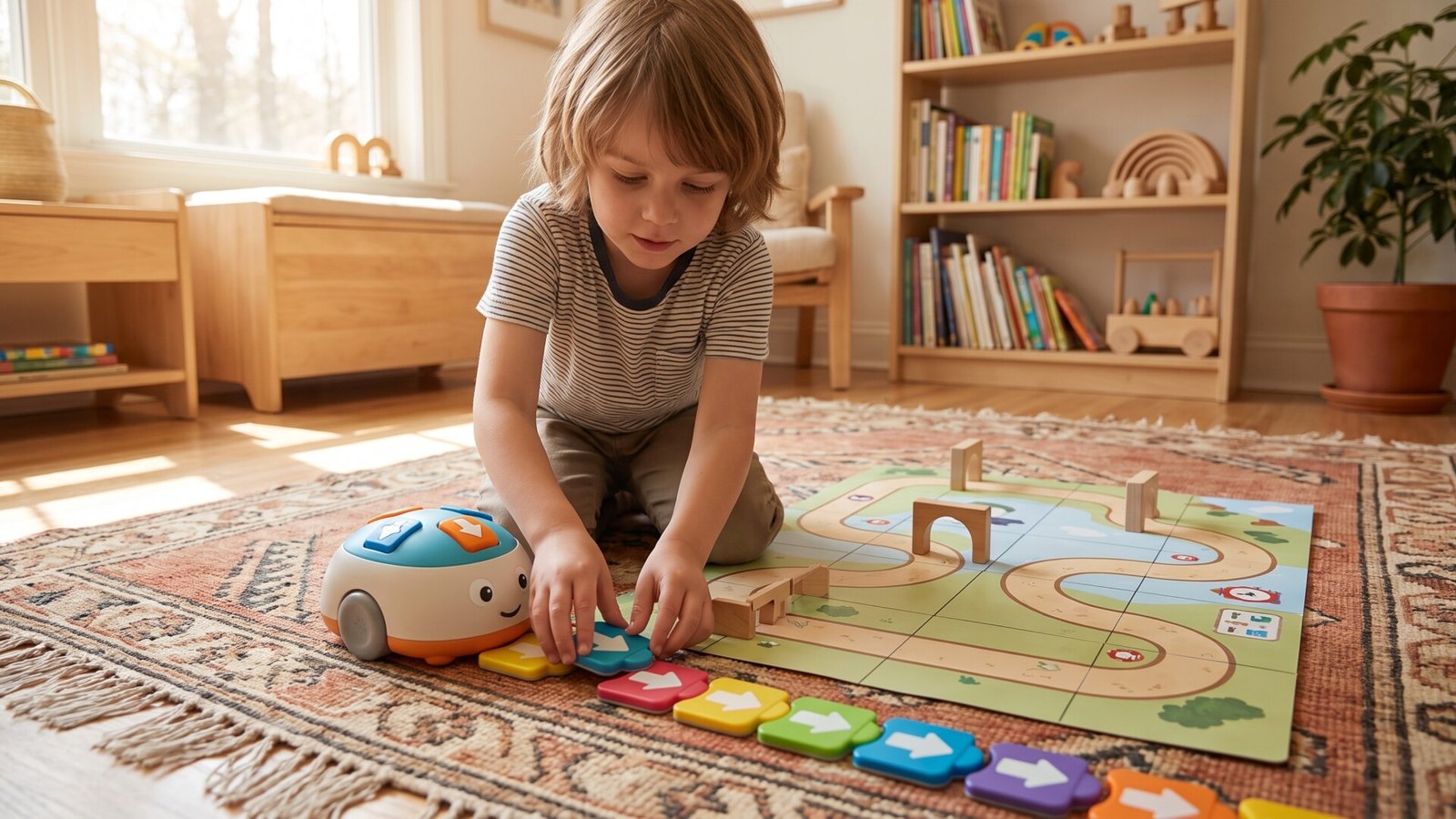
Botley 2.0 is completely screen-free. Children program the robot using a remote control that sends commands. They press buttons to tell Botley to move forward, turn, loop, or avoid obstacles. It’s simple, intuitive, and remarkably effective for teaching basic coding concepts.
Best For
Younger children or those new to coding. Botley requires no reading, no tablet, and no computer. A five-year-old can start programming within minutes of opening the box. It’s also excellent for families who want to limit screen time while still introducing coding concepts.
Pros
The simplicity is the killer feature. There’s no setup, no app to download, no batteries to charge (it uses standard AA batteries). The robot is durable and can handle being dropped. The included activity guide provides dozens of challenges that progress in difficulty. And the screen-free nature means children are actively engaged with the physical world.
Cons
The advanced features are limited compared to more expensive kits. Once children master the basic commands, there’s less to explore. Some children may outgrow Botley relatively quickly, especially if they’re already comfortable with technology. And the remote control requires line-of-sight, which can be frustrating in some play spaces.
[Affiliate: Check current pricing and availability for Botley 2.0]
Sphero Mini Activity Kit
| Feature | Details |
|---|---|
| Age Range | 5+ |
| Key Features | Programmable robot, fun activities |
| Affiliate Program | Amazon Associates |
Why We Like It
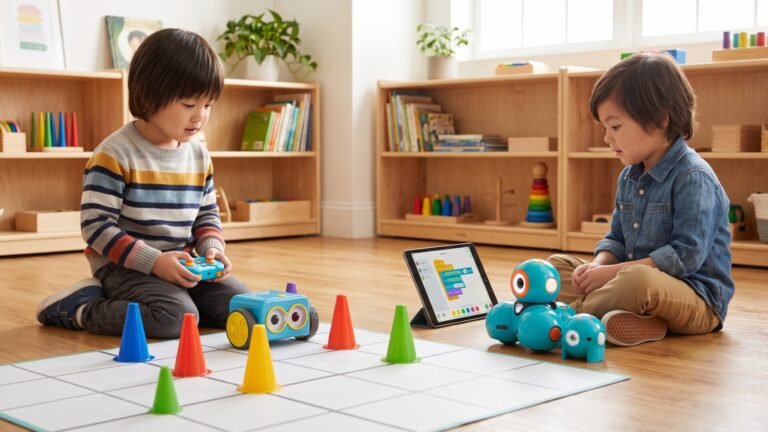
The Sphero Mini is a small, durable robot ball that children can program using a smartphone or tablet app. The Activity Kit includes traffic cones, bowling pins, and construction pieces that create physical challenges for the robot to navigate.
Best For
Children who enjoy movement and active play. The Sphero Mini rolls, spins, and changes colors, which is inherently engaging. The physical obstacles add a layer of challenge that keeps children thinking. It’s also excellent for children who might be intimidated by more complex kits.
Pros
The app uses block coding that’s easy to understand. Children drag and drop commands to create programs, then watch the robot execute them in real space. The robot is surprisingly fast and responsive. The included activity guide provides structured challenges that teach specific concepts.
Cons
The full functionality requires a smartphone or tablet, which introduces screen time. The robot itself is small and can be lost easily. The battery life is adequate but not exceptional, requiring regular charging. And some children may find the simple commands limiting after they’ve mastered the basics.
[Affiliate: Check current pricing and availability for Sphero Mini Activity Kit]
Comparison Table
| Product | Age Range | Durability | Educational Value | Price Range | Best For |
|---|---|---|---|---|---|
| LEGO Education SPIKE Prime | 6+ | High | ⭐⭐⭐⭐⭐ | $350 | Building enthusiasts |
| Osmo Genius Starter Kit | 5-10 | Moderate | ⭐⭐⭐⭐⭐ | $99 | iPad learners |
| Tynker Coding for Kids | 5-14 | N/A | ⭐⭐⭐⭐ | Subscription | Online learners |
| Kano Computer Kit | 6+ | High | ⭐⭐⭐⭐⭐ | $149 | Tech enthusiasts |
| Botley 2.0 the Coding Robot | 5+ | Moderate | ⭐⭐⭐⭐ | $79 | Beginners |
| Sphero Mini Activity Kit | 5+ | High | ⭐⭐⭐⭐ | $49 | Robotics fans |
How to Choose the Right Option
Best for Small Spaces
If you’re working with limited space, Botley 2.0 and the Sphero Mini are your best options. Both require minimal setup and can be used on a table or floor. Botley’s screen-free nature means you don’t need a desk or table for a device. The Sphero Mini’s small size means it can be stored in a drawer.
Best for Toddlers
For younger children or those who aren’t ready for abstract concepts, Botley 2.0 is the clear winner. It requires no reading, no device, and no complex setup. A five-year-old can understand the cause-and-effect relationship of pressing a button and watching the robot move.
Best for STEM Learning
The LEGO Education SPIKE Prime and Kano Computer Kit offer the most comprehensive STEM education. SPIKE Prime combines engineering and coding. Kano combines hardware and software. Both teach skills that extend beyond coding into broader technical literacy.
Best for Screen-Free Engagement
Botley 2.0 is completely screen-free. The Sphero Mini requires a device for programming but the actual play is physical. If limiting screen time is a priority, these are your best options.
Best Budget Pick
The Sphero Mini Activity Kit offers excellent value at around $49. It’s durable, engaging, and teaches real coding concepts. The included activity guide provides hours of structured play.
Best Premium Pick
The LEGO Education SPIKE Prime is expensive but offers the most comprehensive experience. It combines the universal appeal of LEGO with genuine coding education. The kit grows with your child, providing years of use.
ToyGuideHub Longevity Analysis
Here’s what most reviews won’t tell you: the kit that looks best on paper isn’t always the one that gets used after six months.
I’ve watched children in my own home and in friends’ homes cycle through these kits. The pattern is revealing. Botley 2.0 gets used immediately and often, but interest wanes after a few months. The Sphero Mini follows a similar trajectory. These are excellent introductory tools, but they have a limited lifespan.
The LEGO Education SPIKE Prime, despite its higher price, has surprising longevity. Children return to it because they can build new models and create new programs. The combination of physical construction and coding creates endless possibilities. I know families who have used their SPIKE Prime set for three years and counting.
Osmo falls somewhere in between. The Genius Starter Kit offers enough variety to maintain interest for several months, but eventually children master the challenges and want something new. The subscription model means you can add content, but that adds ongoing cost.
The Kano Computer Kit has the longest potential lifespan because it teaches skills that children can apply beyond the kit itself. A child who learns to code on their Kano computer can continue using that computer for other projects.
Here’s my honest advice: if you’re not sure whether your child will enjoy coding, start with Botley 2.0 or the Sphero Mini. They’re affordable and effective. If your child shows genuine interest, invest in the LEGO Education SPIKE Prime or Kano Computer Kit. They cost more but provide years of engagement.
The worst outcome is spending hundreds of dollars on a kit that sits on a shelf. Start small. See what resonates. Then invest accordingly.
Conclusion
Coding skills matter for today’s children, but not in the way the marketing materials suggest. It’s not about preparing for a career at Google. It’s about teaching logical thinking, problem-solving, and persistence. It’s about showing children that they can create, not just consume.
The best coding kit for your child is the one that matches their interests, your family’s screen time philosophy, and your budget. For most families, I recommend starting with Botley 2.0 or the Sphero Mini. They’re affordable, effective, and give you a sense of whether your child enjoys this type of learning.
If your child shows genuine enthusiasm, consider investing in the LEGO Education SPIKE Prime or Kano Computer Kit. These provide years of engagement and teach skills that extend far beyond coding.
Remember, the goal isn’t to create a prodigy. The goal is to create a child who loves learning, isn’t afraid of mistakes, and understands that complex problems can be broken down into manageable steps. That’s what coding teaches. And that’s what these kits provide.
Frequently Asked Questions About Coding Kits For 5-7 Year Olds
What age is appropriate to start coding?
Most children can start learning basic coding concepts around age five. At this age, they understand cause and effect, can follow simple sequences, and enjoy problem-solving. The key is to use tools that match their developmental level. Screen-free kits like Botley 2.0 are ideal for this age group.
Are coding kits safe for children?
Yes, when purchased from reputable manufacturers. All the kits I’ve recommended use non-toxic materials and have appropriate safety certifications. However, some kits contain small parts that could be choking hazards for very young children. Always check the age recommendations and supervise younger children.
How much screen time is involved with these kits?
It varies significantly by product. Botley 2.0 is completely screen-free. The LEGO Education SPIKE Prime and Osmo require a tablet or computer but the screen time is interactive and educational. Tynker is entirely screen-based. Consider your family’s screen time philosophy when choosing.
What skills do kids learn from these coding kits?
Beyond coding itself, children develop logical thinking, problem-solving, sequencing, pattern recognition, and persistence. They learn that mistakes are opportunities to learn. They develop patience and attention to detail. These skills transfer to academic subjects and real-world challenges.
How do I know which kit is best for my child?
Consider your child’s interests and personality. A child who loves building will thrive with LEGO-based kits. A child who loves puzzles will enjoy Osmo or Botley. A child who asks how things work will appreciate Kano. Also consider your family’s screen time preferences and budget.
Can coding kits be used for group activities?
Many of these kits work well for siblings or playdates. Botley 2.0 and the Sphero Mini are particularly good for group play because multiple children can participate in creating challenges and programming solutions. The LEGO Education SPIKE Prime can be used collaboratively on larger projects.