Coding Board Games That Help Children with Autism Learn and Play
Picture a child who finds most board games confusing: the rules shift, the other players are unpredictable, and winning depends on luck or on reading faces. Now picture a game where the rules never change, the pieces do exactly what you tell them, and success comes from your own logic. For many children with autism, coding board games offer that kind of clarity.
Play isn’t just about fun—it’s how children learn to navigate the world. Coding board games combine structure with creativity, logic with imagination, and individual focus with opportunities for connection. They don’t just introduce programming ideas; they offer a gentle way to practise planning, patience, and problem-solving.
As a parent, you might worry about finding activities that engage your child without overwhelming them. You’ve probably tried puzzles that got abandoned, apps that lost their appeal, and toys that ended up in the back of the closet. Coding games can be a good fit because they typically offer clear rules, predictable outcomes, and the satisfaction of solving problems step by step. Every child is different, though, so think of what follows as a set of options to try rather than a guarantee.
How we picked these: this guide is based on manufacturer and retailer information, age grades, and the features that autism-focused organisations and occupational therapists commonly suggest looking for (predictability, visual instructions, adjustable sensory input). We have not run hands-on tests with children. Prices are approximate US dollar ranges and change often. This page contains affiliate links; if you buy through them we may earn a commission at no extra cost to you.
This article is part of our STEM Toys for Kids: The Complete Parent Guide. For more on screen-free options, see Coding Games Without a Tablet, and for a younger age group, Top 7 STEM Toys for Autistic Preschoolers. Our engineering kits for children on the autism spectrum and inclusive STEM kits guides are good companions to this one.
Understanding Why Play Matters for Children with Autism
Children with autism often experience the world differently. Sensory sensitivities, communication differences, and a preference for routine can make traditional play feel overwhelming or confusing. But play is essential for development—it’s how children practise social skills, build thinking skills, and learn to regulate emotions.
Families and clinicians commonly find that:
- Structured play provides predictability, which can reduce anxiety.
- Repetitive play helps many children master skills and build confidence.
- Visual supports often work better than verbal instructions.
- Clear rules reduce the ambiguity that can cause frustration.
Coding board games line up with many of these. They offer clear sequences, visual cues, and logical progression, and they don’t depend on reading social cues. Instead, children can focus on patterns, cause and effect, and step-by-step thinking.
Some children who find group activities hard may enjoy coding games because the game provides a framework for interaction—taking turns, following rules, celebrating successes—without the pressure of open-ended social demands. It can be a bridge between solitary play and cooperative play.
What Makes Coding Board Games Different from Traditional Board Games?
Traditional board games often rely on luck (rolling dice, drawing cards) or social skills (negotiation, bluffing). Coding board games are based on logic and sequencing. Players create a series of instructions—a “program”—to achieve a goal, like moving a robot across a board or collecting a gem.
Key differences include:
- Sequence-based gameplay: Players plan steps in advance, learning the basics of algorithms.
- Error correction: When a program doesn’t work, players debug it—a useful life skill.
- Predictable outcomes: Success comes from following the logic, not from chance.
- Visual and tactile components: Many games use physical blocks or cards, which appeals to children who prefer hands-on learning.
These features can reduce the unpredictability that causes anxiety for some children, while still offering challenges that build problem-solving skills.
What to Look for When Choosing a Coding Board Game for a Child with Autism
Not every coding board game will work for every child. These are the factors that matter most:
Safety and Materials
Some children with autism have sensory sensitivities or mouth objects. Look for non-toxic materials and check the manufacturer’s age grade and small-parts warnings, which are safety guidance as well as skill guidance. Avoid sharp edges or rough textures. For battery-powered robots, make sure the battery compartment is secured with a screw or latch.
Durability
Games get handled. Sometimes they get dropped, thrown, or chewed. Look for sturdy components: thick cardboard, durable plastic or wood, and boards that lie flat.
Age Appropriateness
Age ranges on boxes are guidelines. For children with autism, it often helps to focus on developmental readiness rather than chronological age. A game labeled for ages 4-8 might work well for a 10-year-old who is just starting to explore coding concepts. Keep the safety side of the age grade in mind, though, especially around small parts.
Educational Value
Not all coding games are created equal. Some introduce real programming concepts like loops and conditionals, while others only involve following simple instructions. Look for games that build skills progressively, offering challenges that grow with the child.
Ease of Use
Complex rules can be a dealbreaker. Prefer games with simple setup, clear instructions (preferably visual), and quick gameplay. A game that takes 30 minutes to explain will likely lose a child’s attention before it begins.
Storage and Maintenance
Consider where you’ll keep the game. Does it come with a storage box? Are the pieces easy to organize? Some games have dozens of small pieces that can easily get lost. For a child who finds clutter stressful, a labelled box or bag for each game makes setup and tidy-up predictable. Our guide to cleaning wooden toys naturally is useful if you buy a wooden set like Cubetto.
The Pros and Cons of Coding Board Games for Children with Autism
Coding board games aren’t perfect for every situation. Here’s an honest summary.
Pros
- Invites critical thinking: Children practise planning, sequencing, and solving problems systematically.
- Low-pressure social practice: Many games involve taking turns or working together in a structured way.
- Teaches persistence: Debugging a program shows children that mistakes are part of learning.
- Screen-free options: Several of the picks below give a tactile, hands-on experience.
- Confidence: Completing a challenge can feel great, especially for children who find other activities hard.
Cons
- May require adult support: Younger children or those with attention challenges may need guidance to stay engaged.
- Steep learning curve for some: Not all games are intuitive. Some require reading or abstract thinking that may be challenging.
- Limited appeal: If a child isn’t interested in robots or puzzles, these games may not hold their attention.
- Cost and running costs: Prices range from about $20 to a few hundred dollars, and battery-powered options need batteries.
Top Coding Board Games for Children with Autism
These five options span a range of ages and budgets. Each has been evaluated on the manufacturer’s stated features, safety guidance, and the traits that matter for children with autism (predictability, visual feedback, adjustable challenge). Check the box for the current age grade before buying.
Cubetto by Primo Toys
| Feature | Details |
|---|---|
| Age Range | 3-6 years |
| Key Features | Screen-free coding, physical blocks for programming, wooden robot; connects to the robot by Bluetooth and uses AA batteries |
| Approximate Price | Roughly $200–$300 depending on retailer and set |
| Affiliate Program | [Affiliate: Check price on Amazon] |
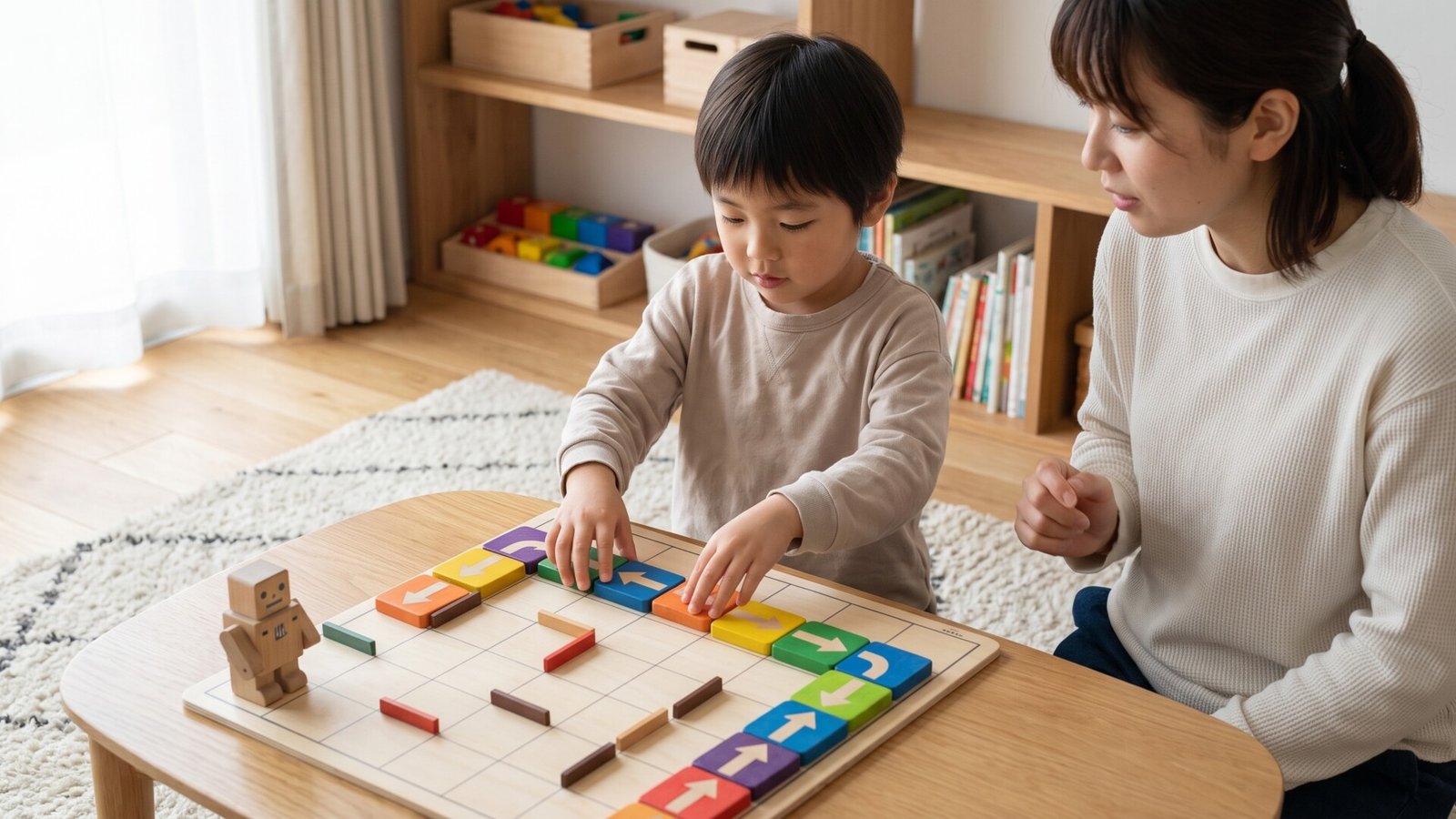
Why It Works: Cubetto is a wooden robot that moves based on a program children build by placing colored coding blocks on an interface board. The Playset includes the robot, interface board, 16 coding blocks, a story book, and a world map. There is no screen involved, and the physical blocks make the cause-and-effect link easy to see. (Retailer listings say the robot needs batteries, which are not included, so check the exact set.)
Best For: Younger children with autism who benefit from hands-on, tactile learning and who enjoy a story-led context.
Pros
- Completely screen-free
- Simple, intuitive design; no reading required
- Invites imaginative play (the robot can be a character, not just a machine)
- Wooden construction
Cons
- Limited complexity for older children (6+ may outgrow it)
- One of the pricier options here
- Only one robot, so group play requires sharing
Robot Turtles
| Feature | Details |
|---|---|
| Age Range | 4-8 years (4 and up per the publisher) |
| Key Features | Card-based board game where kids “program” turtles; one adult plays the computer |
| Approximate Price | Around $25 at launch; check current price |
| Affiliate Program | [Affiliate: Check price on Target] |
Why It Works: Robot Turtles was invented by software entrepreneur Dan Shapiro to spend time with his young twins, and it is now published by ThinkFun. Kids play cards to direct their turtle across the board to collect jewels, while a grown-up acts as the computer and moves the turtle according to the commands. Later levels add features such as laser cannons, ice walls, and the Function Frog, which introduces functions.
Best For: Families looking for a shared activity. The publisher lists one grown-up and up to four kids, so it builds in adult support and turn-taking, which suits children who like a clear role.
Pros
- Affordable
- Simple rules that are easy to learn
- Introduces sequencing, debugging, and functions
- Compact storage
Cons
- Needs an adult to play, so it isn’t an independent game
- May not hold the interest of older children (8+)
- Cardboard pieces can bend over time
Code Master by ThinkFun
| Feature | Details |
|---|---|
| Age Range | 8+ years |
| Key Features | Logic-based programming puzzles, 60 challenges, written as flowcharts called Guide Scrolls |
| Approximate Price | Around $20–$30 (MSRP at launch was $19.99) |
| Affiliate Program | [Affiliate: Check price on Amazon] |
Why It Works: Code Master is a puzzle board game that teaches basic programming logic without a computer. Players program an avatar to collect power crystals and reach a destination portal. The 60 puzzles start with simple linear sequences and progress to loops and conditional branches.
Best For: Older children with autism who enjoy puzzles and are ready for more complex thinking. It rewards patience, attention to detail, and systematic problem-solving.
Pros
- Builds planning and logic skills
- Self-paced; children can work at their own speed
- Compact and portable
- 60 puzzles give plenty of replay
Cons
- Mainly a solo puzzle, so less social interaction unless you solve puzzles together
- May be too difficult for younger children or those who tire quickly of abstract tasks
- Abstract flowchart concepts may be confusing at first, so an adult may need to demonstrate the first few
Osmo Genius Starter Kit for iPad
| Feature | Details |
|---|---|
| Age Range | 6-10 years |
| Key Features | Interactive games with physical pieces, uses the iPad camera; some listings note the Genius kit has been discontinued by the manufacturer |
| Approximate Price | Varies widely and many listings are resold; verify availability before buying |
| Affiliate Program | [Affiliate: Check price on Amazon] |
Why It Works: Osmo combines physical pieces with digital gameplay. The iPad’s camera recognizes what’s on the table, letting children interact through tangible objects. The kit includes several games. Because some Genius Starter Kit listings are marked as discontinued, confirm that it is still sold, supported, and compatible with your iPad before you commit.
Best For: Families who already own a compatible iPad and want an interactive, screen-based experience that still involves hands-on play.
Pros
- Interactive, with instant visual and sound feedback
- Multiple games in one kit
- Can support independent play once the child understands it
Cons
- Requires an iPad (a significant extra cost if you don’t have one)
- Screen time, which some families limit; sounds and effects may overwhelm sound-sensitive children
- Needs a flat, clear surface for the camera to work
Botley 2.0 the Coding Robot
| Feature | Details |
|---|---|
| Age Range | 5+ years (Learning Resources lists roughly ages 5-9) |
| Key Features | Screen-free coding robot, remote programmer, command sequences up to 150 steps, 40 coding cards; needs 5 AAA batteries (not included) |
| Approximate Price | Around $80–$100 |
| Affiliate Program | [Affiliate: Check price on Target] |
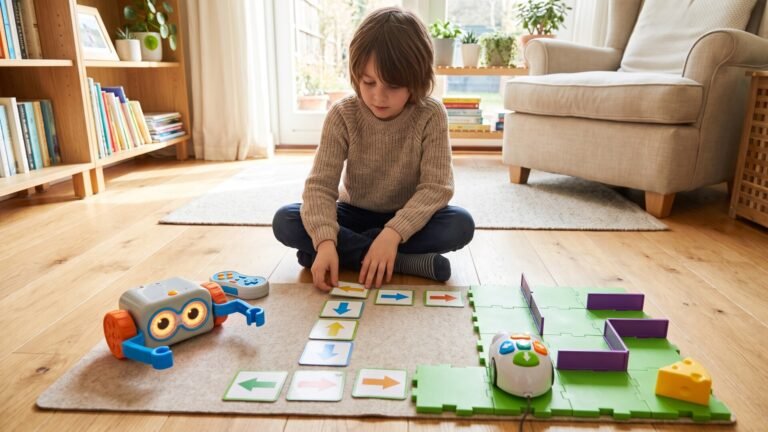
Why It Works: Botley 2.0 is a robot that children program with a remote control. It can move forward, backward, and turn, and the set includes coding cards, a starter guide with challenges, and advanced challenges with object-sensing reactions. The remote programmer gives immediate cause-and-effect feedback.
Best For: Children who love robots and movement. Botley suits independent exploration once the basics are understood.
Pros
- Screen-free coding experience
- Introduces sequencing and loops; advanced challenges add sensing
- Good for independent play once learned
Cons
- Limited variety once the basic tasks are mastered
- The remote can be confusing for younger children
- Needs batteries, and motor sounds may bother sound-sensitive children
Which Games Are Likely to Last? An Editorial Assessment
Many coding toys get abandoned once the novelty wears off. We haven’t tracked long-term use in real households, so this assessment is based on each game’s design rather than observed results: how open-ended it is, how much content it has, and how far a child can progress.
Cubetto is open-ended: children can create any sequence they like, which tends to keep play interesting for the age range it is designed for (roughly 3 to 6).
Code Master has 60 puzzles of increasing difficulty and is single-player, so a child can return to it whenever they like without needing a partner.
Robot Turtles is a good starter, though children may want something more complex once they understand the core ideas. The extra levels and the variety of rules help extend it.
Osmo depends on app support and your device. Its variety of games is a plus if the kit is available and compatible.
Botley 2.0 offers a limited set of challenge cards, so children who love robotics may find creative ways to use it, while others may lose interest after the basics.
Our take: for long-term value, Cubetto (ages 3-6) and Code Master (ages 8+) look like the strongest options on paper, but only you know whether your child will latch onto either.
Comparison Table
| Product | Age Range | Format | Players | Approx. Price | Best For |
|---|---|---|---|---|---|
| Cubetto | 3-6 | Wooden robot + blocks (batteries) | 1+ with sharing | $200–$300 | Young children, tactile learners |
| Robot Turtles | 4-8 | Card board game | 1 adult + up to 4 kids | ~$25 | Shared play, beginners |
| Code Master | 8+ | Logic puzzle game | 1 (can be shared) | $20–$30 | Older children, independent play |
| Osmo Genius Kit | 6-10 | Physical pieces + iPad | 1+ | Varies; check availability | Interactive learning, tech-savvy families |
| Botley 2.0 | 5+ | Programmable robot (batteries) | 1+ | $80–$100 | Robotics fans, hands-on play |
How to Choose the Right Option for Your Family
Narrow the choices based on your specific situation.
Best for Small Spaces
If you live in an apartment or have limited storage, consider Robot Turtles or Code Master. Both come in compact boxes and have a modest number of pieces.
Best for Younger Children (Ages 3-6)
Cubetto is designed for this age group. It is screen-free and tactile, with wooden pieces. Keep the age grade and small-parts guidance in mind for younger siblings.
Best for Group Activities
Robot Turtles is built for one grown-up plus up to four kids, and encourages cooperation. Osmo can work for groups too, though it requires sharing the iPad.
Best for Independent Play
Code Master is designed for solo puzzle-solving. Botley 2.0 also works well for independent exploration once a child knows the remote.
Best Budget Pick
Robot Turtles (around $25) and Code Master (around $20–$30) both offer a low-cost way to try coding concepts. Choose Robot Turtles if you want a game to play together and Code Master if your child prefers solo puzzles.
Best Premium Pick
Cubetto is the premium option. It’s an investment, so it makes most sense for families with a child squarely in the 3 to 6 range who loves hands-on play.
Tips for Introducing a Coding Game
- Preview the game yourself. Learning the rules ahead of time lets you teach them in short, calm steps.
- Start with the easiest level. An early success builds confidence. Move on only when your child is ready.
- Use visual supports. A picture schedule or a simple “first this, then that” card can help your child know what to expect from a session.
- Keep sessions short and predictable. Ten to fifteen minutes at a regular time often works better than a long, open-ended session.
- Reframe mistakes as debugging. “Let’s find the bug” is a calm way to talk about an incorrect sequence and keeps the focus on problem-solving.
- Ask your child’s team. Occupational therapists and teachers can suggest ways to adapt a game to your child’s needs.
More Resources for Sensitive and Neurodivergent Learners
Looking for other ideas? Try our guides to beginner robotics kits for special needs kids, beginner coding kits for 5-7 year olds, quiet STEM activities for sensitive children, STEM puzzles for children with learning delays, and STEM kits that boost problem-solving skills in sensitive kids.
Final Thoughts
Coding board games can give children with autism a way to build skills that feel like play, not work. They respect children’s need for structure while leaving room for creativity, and they offer clear goals with room for individual approaches. They are not a treatment or a substitute for support from your child’s care team.
If you’re just starting out, Robot Turtles is an affordable, low-risk way to see if coding games click with your child. For younger children, Cubetto is a higher-priced, screen-free option designed for ages 3 to 6. For older children, Code Master offers depth and challenge at a modest price.
[Affiliate: Check current pricing and availability through our recommended partners]
Frequently Asked Questions About Coding Board Games For Children With Autism
What are the benefits of coding board games for children with autism?
Coding board games invite sequencing, planning, and problem-solving. They also offer structured social interaction, predictable rules that can reduce anxiety, and achievable challenges that build confidence. They are not a treatment, and results vary from child to child.
At what age can children start using coding board games?
Some are designed for children as young as three, such as Cubetto (ages 3-6), while others start at 4, 5, or 8 and up. Match the game to your child’s developmental level as well as the age on the box, and respect small-parts warnings.
How do coding games support social skills development?
Many coding games involve turn-taking, cooperation, and communication in a structured way, which can feel less intimidating than open-ended social play. Robot Turtles, for example, is designed for one grown-up and up to four children playing together.
Are there specific safety concerns for children with autism when choosing board games?
Look for non-toxic materials, check age grades and small-parts warnings, and keep battery compartments secured. Consider sensory sensitivities too: some children are bothered by loud noises, motor sounds, or bright screens.
How do I introduce coding concepts to a child with autism?
Start with a simple game that has clear, visual instructions. Focus on fun first and let your child explore without pressure. Use the game’s own language (sequences, loops, debugging) naturally as you play, and keep sessions short and predictable.
What should I consider when selecting a coding game for my child?
Think about your child’s interests, attention span, and current skills. Consider whether they prefer solitary or group play, whether they need a screen-free option, and what batteries or devices the game requires.
Are screen-free coding games better than app-based ones?
Neither is better for every child. Screen-free games such as Cubetto, Robot Turtles, and Botley give tactile, predictable play. Interactive kits like Osmo offer instant feedback but require a device and may include sounds and effects that some children find overwhelming.
Do coding games for autistic children need adult help?
Often, at least at first. An adult can demonstrate, keep sessions short, and help when a puzzle is frustrating. Some games, like Robot Turtles, need an adult to play by design, while others, like Code Master, can become independent once the child understands the rules.