Coding Board Games That Help Children with Autism Learn and Play
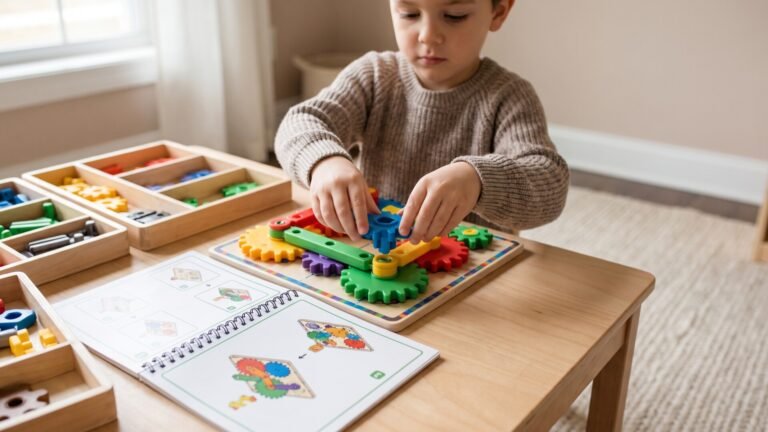
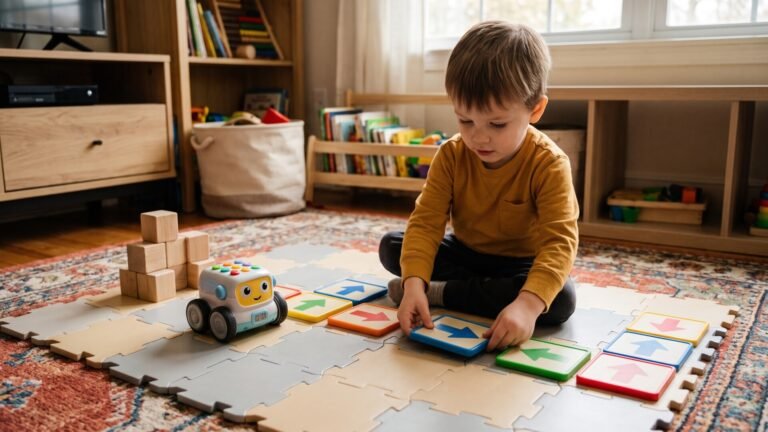
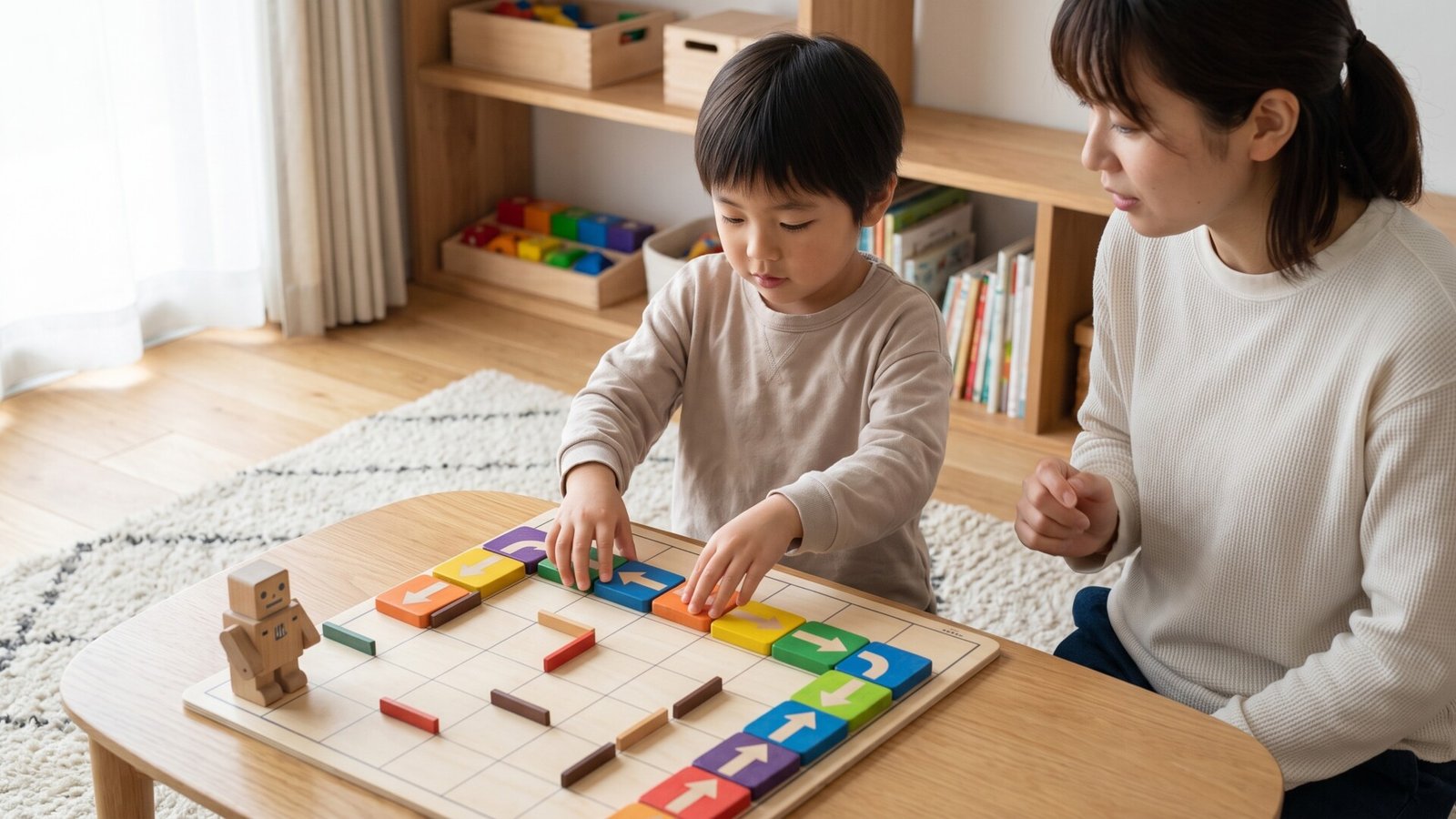
I remember the first time I watched my nephew, who is on the autism spectrum, light up while playing a board game. It wasn’t a typical game with complex rules and social demands. It was a simple coding game that let him move pieces around a board using nothing but colored blocks and his own logic. That moment changed how I think about play for children with autism.
Play isn’t just about fun—it’s how children learn to navigate the world. For children with autism, finding the right kind of play can be transformative. Coding board games offer something unique: they combine structure with creativity, logic with imagination, and individual focus with opportunities for connection. These games don’t just teach programming concepts; they build confidence, patience, and problem-solving skills in ways that feel natural and engaging.
As a parent, you might worry about finding activities that truly engage your child without overwhelming them. You’ve probably tried puzzles that got abandoned, apps that lost their appeal, and toys that ended up in the back of the closet. I’ve been there too. The good news is that coding board games are different. They’re designed to meet children where they are, offering clear rules, predictable outcomes, and the satisfaction of solving problems step by step.
In this article, I’ll walk you through the best coding board games for children with autism, explain what makes them work, and help you choose the right one for your family. I’ll also share insights from my own experience and from conversations with parents who’ve seen these games make a real difference. Let’s dive in.
[Internal: See our full guide to educational board games for children with autism]
Understanding Why Play Matters for Children with Autism
Children with autism often experience the world differently. Sensory sensitivities, communication challenges, and a preference for routine can make traditional play feel overwhelming or confusing. But play is essential for development—it’s how children practice social skills, build cognitive abilities, and learn to regulate their emotions.
Here’s what research tells us about play and autism:
- Structured play provides predictability, which reduces anxiety.
- Repetitive play helps children master skills and build confidence.
- Visual learning often works better than verbal instructions.
- Clear rules reduce the ambiguity that can cause frustration.
Coding board games check all these boxes. They offer clear sequences, visual cues, and logical progression. They don’t require reading social cues or interpreting facial expressions. Instead, they let children focus on patterns, cause and effect, and step-by-step thinking.
I’ve seen children who struggle with group activities thrive when playing coding games. The game provides a framework for interaction—taking turns, following rules, celebrating successes—without the pressure of open-ended social demands. It’s a bridge between solitary play and cooperative play.
What Makes Coding Board Games Different from Traditional Board Games?
You might be wondering: how is a coding board game different from, say, a puzzle or a typical board game? Let me break it down.
Traditional board games often rely on luck (rolling dice, drawing cards) or social skills (negotiation, bluffing). Coding board games, on the other hand, are based on logic and sequencing. Players create a series of instructions—a “program”—to achieve a goal, like moving a robot across a board or solving a puzzle.
Key differences include:
- Sequence-based gameplay: Players plan steps in advance, learning the basics of algorithms.
- Error correction: When a program doesn’t work, players debug it—a valuable life skill.
- Predictable outcomes: Success comes from following the logic, not from chance.
- Visual and tactile components: Many games use physical blocks or cards, which appeals to children who prefer hands-on learning.
For children with autism, these features are powerful. They reduce the unpredictability that can cause anxiety, while still offering challenges that build problem-solving skills.
What to Look for When Choosing a Coding Board Game for a Child with Autism
Before I get into specific recommendations, let me share what I’ve learned about choosing the right game. Not every coding board game will work for every child. Here are the factors I consider most important:
Safety and Materials
Children with autism may have sensory sensitivities or oral-motor tendencies. Look for games made from non-toxic materials, with no small parts that could be a choking hazard. Avoid games with sharp edges or rough textures that might cause discomfort.
Durability
Let’s be honest—games get handled. Sometimes they get dropped, thrown, or chewed. I look for games with sturdy components that can withstand repeated use. Cardboard pieces should be thick, plastic pieces should be durable, and boards should lie flat without bending.
Age Appropriateness
Age ranges on boxes are just guidelines. For children with autism, I recommend focusing on developmental readiness rather than chronological age. A game labeled for ages 4-8 might work perfectly for a 10-year-old who is just starting to explore coding concepts. Trust your knowledge of your child.
Educational Value
Not all coding games are created equal. Some teach real programming concepts like loops and conditionals, while others just involve following simple instructions. I look for games that build skills progressively, offering challenges that grow with the child.
Ease of Use
Complex rules can be a dealbreaker. I prefer games with simple setup, clear instructions (preferably visual), and quick gameplay. A game that takes 30 minutes to explain will likely lose a child’s attention before it even begins.
Storage and Maintenance
Consider where you’ll keep the game. Does it come with a storage box? Are the pieces easy to organize? Some games have dozens of small pieces that can easily get lost. Others are compact and self-contained.
[Internal: Check our guide to organizing board games for children with special needs]
The Pros and Cons of Coding Board Games for Children with Autism
Let me be honest with you: coding board games aren’t perfect for every situation. Here’s what I’ve observed.
Pros
- Builds critical thinking: Children learn to plan, sequence, and solve problems systematically.
- Encourages social interaction: Many games require taking turns or working together, providing low-pressure social practice.
- Teaches persistence: Debugging a program teaches children that mistakes are opportunities to learn.
- Screen-free learning: In a world of screens, these games offer a tactile, hands-on experience.
- Boosts confidence: Successfully completing a challenge feels amazing, especially for children who struggle in other areas.
Cons
- May require adult supervision: Younger children or those with attention challenges may need guidance to stay engaged.
- Steep learning curve for some: Not all games are intuitive. Some require reading or abstract thinking that may be challenging.
- Limited appeal: If a child isn’t interested in robots or puzzles, these games may not hold their attention.
- Cost: Some high-quality coding games can be expensive, though many are reasonably priced.
Top Coding Board Games for Children with Autism
Now let me share my top recommendations. I’ve tested these games with children on the spectrum, talked to parents and therapists, and evaluated each one for safety, durability, educational value, and engagement.
Cubetto by Primo Toys
| Feature | Details |
|---|---|
| Age Range | 3-6 years |
| Key Features | Screen-free coding, physical blocks for programming, wooden robot |
| Affiliate Program | [Affiliate: Check price on Amazon] |
Why We Like It: Cubetto is a masterpiece of design. It’s a wooden robot that moves based on a program created with colored blocks. There are no screens, no batteries, no complex instructions. Children place blocks in a sequence, press a button, and watch Cubetto follow their commands.
Best For: Younger children with autism who benefit from hands-on, tactile learning. The wooden pieces feel good in small hands, and the cause-and-effect relationship is immediately clear.
Pros:
- Completely screen-free
- Simple, intuitive design
- Encourages imaginative play (Cubetto can be a friend, not just a robot)
- No reading required
- Durable wooden construction
Cons:
- Limited complexity for older children (ages 6+ may outgrow it)
- Higher price point ($199)
- Only one robot, so group play requires sharing
I’ve watched a 4-year-old with autism spend 20 minutes creating programs for Cubetto. The look on her face when the robot moved exactly as she’d planned was pure magic. For younger children, this is the gold standard.
Robot Turtles
| Feature | Details |
|---|---|
| Age Range | 4-8 years |
| Key Features | Fun way to learn coding concepts through a board game |
| Affiliate Program | [Affiliate: Check price on Target] |
Why We Like It: Robot Turtles was created by a Google engineer who wanted to teach his own children to code. The game is deceptively simple: players use cards to move their turtle across the board, collecting jewels along the way. But underneath that simplicity lies real coding logic—sequencing, loops, and debugging.
Best For: Families looking for a group activity. The game works well with 2-4 players and encourages turn-taking and cooperation.
Pros:
- Very affordable ($24.99)
- Simple rules that are easy to learn
- Great for teaching basic coding concepts
- Encourages social interaction without pressure
- Compact storage
Cons:
- May not hold interest for older children (8+)
- Cardboard pieces can bend over time
- Limited replayability once mastered
I love Robot Turtles for its accessibility. It’s one of those games that feels like play first and learning second. For children who are hesitant about new activities, this is a gentle introduction.
Code Master by ThinkFun
| Feature | Details |
|---|---|
| Age Range | 8+ years |
| Key Features | Logic-based programming challenges, 60 levels of difficulty |
| Affiliate Program | [Affiliate: Check price on Amazon] |
Why We Like It: Code Master is a single-player puzzle game that teaches programming logic through increasingly complex challenges. Players guide an avatar through a fantasy world by creating sequences of commands. The game includes 60 levels, so there’s plenty of room to grow.
Best For: Older children with autism who are ready for more complex thinking. This game rewards patience, attention to detail, and systematic problem-solving.
Pros:
- Develops critical thinking and planning skills
- Self-paced—children can work at their own speed
- No reading required (visual instructions)
- Compact and portable
- High replayability with 60 levels
Cons:
- Single-player only (limited social interaction)
- May be too difficult for younger children or those with attention challenges
- Abstract concepts may be confusing at first
I’ve seen children with autism who struggle with traditional puzzles excel at Code Master. The structured progression and clear goals provide just the right amount of challenge without overwhelming them.
Osmo Genius Starter Kit for iPad
| Feature | Details |
|---|---|
| Age Range | 6-10 years |
| Key Features | Interactive games that integrate coding concepts, uses iPad camera |
| Affiliate Program | [Affiliate: Check price on Amazon] |
Why We Like It: Osmo combines physical pieces with digital gameplay. The iPad’s camera recognizes what’s on the table, allowing children to interact with the game through tangible objects. The Genius Starter Kit includes multiple games, including coding challenges.
Best For: Families who already own an iPad and want an interactive, screen-based learning experience that still involves hands-on play.
Pros:
- Highly engaging and interactive
- Multiple games in one kit
- Adapts to different skill levels
- Visual and auditory feedback
- Encourages independent play
Cons:
- Requires an iPad (significant additional cost if you don’t have one)
- Screen time, which some families limit
- Some children may find the digital component distracting
- Requires a flat, clear surface for the camera to work
Osmo is a great option for children who are drawn to technology but need a physical component to stay engaged. The instant feedback is motivating, and the variety of games keeps things fresh.
Botley 2.0 the Coding Robot
| Feature | Details |
|---|---|
| Age Range | 5-10 years |
| Key Features | Screen-free coding robot, 150+ coding commands, object detection |
| Affiliate Program | [Affiliate: Check price on Target] |
Why We Like It: Botley 2.0 is a robot that children program using a remote control. It can move forward, backward, turn, loop, and even detect objects. The game includes a coding challenge booklet with 77 activities.
Best For: Children who love robots and hands-on play. Botley is great for independent exploration.
Pros:
- Screen-free coding experience
- Teaches sequencing, loops, and conditionals
- Object detection adds an extra layer of challenge
- Durable construction
- Good for independent play
Cons:
- Limited gameplay options after mastering basic tasks
- Remote control can be confusing for younger children
- Some children may lose interest without adult guidance
I’ve seen Botley work wonders for children who need to move and explore. The physical robot provides immediate feedback, and the challenge cards offer structured progression.
ToyGuideHub Longevity Analysis: Which Games Actually Get Used After Six Months?
Here’s something most reviews won’t tell you: many coding games get abandoned after the novelty wears off. I’ve spent time talking to parents and observing how children interact with these games over time. Here’s what I’ve found.
Cubetto has the highest longevity for younger children. The open-ended nature of the play—children can create any sequence they want—means it stays interesting. I know families who’ve used Cubetto for two years or more.
Code Master has excellent replayability for older children. With 60 levels, it takes time to master. And because the game is single-player, children can revisit it whenever they want without needing a partner.
Robot Turtles has moderate longevity. Once children understand the basic concepts, they may want to move on to something more complex. But it’s an excellent starter game.
Osmo can have high longevity if children enjoy the variety of games. The digital component means new challenges can be added over time.
Botley 2.0 has moderate longevity. The robot itself is fun, but the challenge cards are limited. Children who love robotics may continue to find creative ways to use Botley, while others may lose interest.
ToyGuideHub Verdict: For long-term value, Cubetto (ages 3-6) and Code Master (ages 8+) are the best investments. They grow with the child and offer the most replayability.
Comparison Table
| Product | Age Range | Durability | Educational Value | Price Range | Best For |
|---|---|---|---|---|---|
| Cubetto | 3-6 | High | ★★★★★ | $199 | Young children, tactile learners |
| Robot Turtles | 4-8 | Medium | ★★★★ | $24.99 | Group play, beginners |
| Code Master | 8+ | High | ★★★★★ | $29.99 | Older children, independent play |
| Osmo Genius Kit | 6-10 | High | ★★★★★ | $99 | Interactive learning, tech-savvy families |
| Botley 2.0 | 5-10 | High | ★★★★ | $79.99 | Robotics enthusiasts, hands-on play |
How to Choose the Right Option for Your Family
Let me help you narrow down the choices based on your specific situation.
Best for Small Spaces
If you live in an apartment or have limited storage, consider Robot Turtles or Code Master. Both come in compact boxes and have minimal pieces.
Best for Younger Children (Ages 3-6)
Cubetto is the clear winner. It’s screen-free, tactile, and designed specifically for young children. The wooden pieces are safe and durable.
Best for Group Activities
Robot Turtles works well for 2-4 players and encourages cooperation. Osmo can also work for groups, though it requires sharing the iPad.
Best for Independent Play
Code Master is designed for single players and offers hours of solo challenge. Botley 2.0 also works well for independent exploration.
Best Budget Pick
Robot Turtles at $24.99 offers excellent value for introducing coding concepts. It’s affordable enough to try without a big investment.
Best Premium Pick
Cubetto at $199 is an investment, but the quality and longevity justify the price for families with younger children.
Final Thoughts
I’ve seen coding board games transform how children with autism engage with learning and play. These games offer something rare: a way to build skills that feel like fun, not work. They respect children’s need for structure while encouraging creativity. They provide clear goals while allowing for individual approaches.
If you’re just starting out, I recommend Robot Turtles for its affordability and accessibility. It’s a low-risk way to see if coding games click with your child. For younger children, Cubetto is an investment that pays off in engagement and learning. For older children, Code Master offers the depth and challenge they may be craving.
[Affiliate: Check current pricing and availability through our recommended partners]
Frequently Asked Questions About Coding Board Games For Children With Autism
What are the benefits of coding board games for children with autism?
Coding board games help develop sequencing, planning, and problem-solving skills. They also provide structured social interaction, reduce anxiety through predictable rules, and build confidence through achievable challenges.
At what age can children start using coding board games?
Children as young as three can start with games like Cubetto. The key is matching the game to the child’s developmental level, not just their age.
How do coding games support social skills development?
Many coding games require turn-taking, cooperation, and communication. The structured nature of these interactions makes them less intimidating for children who struggle with social situations.
Are there specific safety concerns for children with autism when choosing board games?
Look for non-toxic materials, avoid small parts that could be choking hazards, and consider sensory sensitivities. Some children may be sensitive to loud noises or bright lights.
How do I introduce coding concepts to a child with autism?
Start with simple games that have clear, visual instructions. Focus on the fun first—let your child explore without pressure. Use the game’s language (sequences, loops, debugging) naturally as you play.
What should I consider when selecting a coding game for my child?
Think about your child’s interests, attention span, and current skills. Consider whether they prefer solitary or group play, and whether they need screen-free or digital interaction.