20 Home Robotics Challenges for Kids Using LEGO EV3
Fun, skill-building missions your child can do at home with LEGO Mindstorms EV3
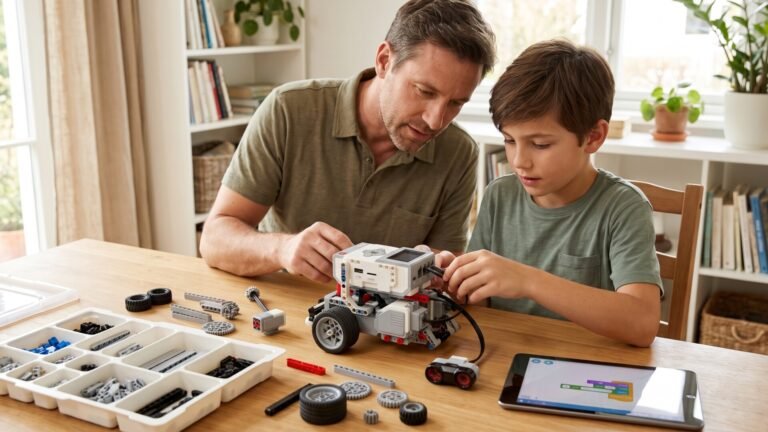
If you have a LEGO Mindstorms EV3 kit at home, you already own one of the most powerful learning tools available for kids. But the system really shines when you give your child small missions—hands-on robotics challenges that build coding, engineering, and problem-solving skills while keeping the experience fun.
These 20 challenges progress from easy to advanced, and they all use parts from a standard LEGO Mindstorms EV3 Home Kit. If your child loves a particular challenge, you can build on it with extra sensors, motors, or Technic pieces if you choose, but you don’t need more than the basic set to start.
Each challenge is intentionally open-ended. You’re not just giving your child tasks—you’re giving them room to experiment, redesign, troubleshoot, and discover their own solutions. That’s where the real learning happens.
1. Straight-Line Starter Mission
This is the simplest way to begin: ask your child to program their robot (TRACK3R or any simple wheeled design) to drive forward in a perfectly straight line for exactly 5 seconds.
Why it’s valuable:
Kids learn how motor power affects movement and how even small coding changes create big results.
Optional twist:
Add a small ramp made from books and see if the robot still stays straight.
2. The Perfect Square Challenge
Program the robot to drive in a perfect square: forward, turn 90 degrees, forward, and so on.
What kids learn:
- Basic geometry
- Motor synchronization
- How turning works in a wheeled robot
Make it more fun by placing four small toys at the corners and telling the robot to “inspect” each one.
3. Obstacle Bump & Reverse
Attach the Touch Sensor and ask your child to make the robot drive forward until it bumps into a wall or box—then reverse away.
Skills gained:
Sensor inputs, conditional logic, and simple autonomy.
Try this variation:
Make the robot beep or flash lights on impact.
4. Color Detect & Stop
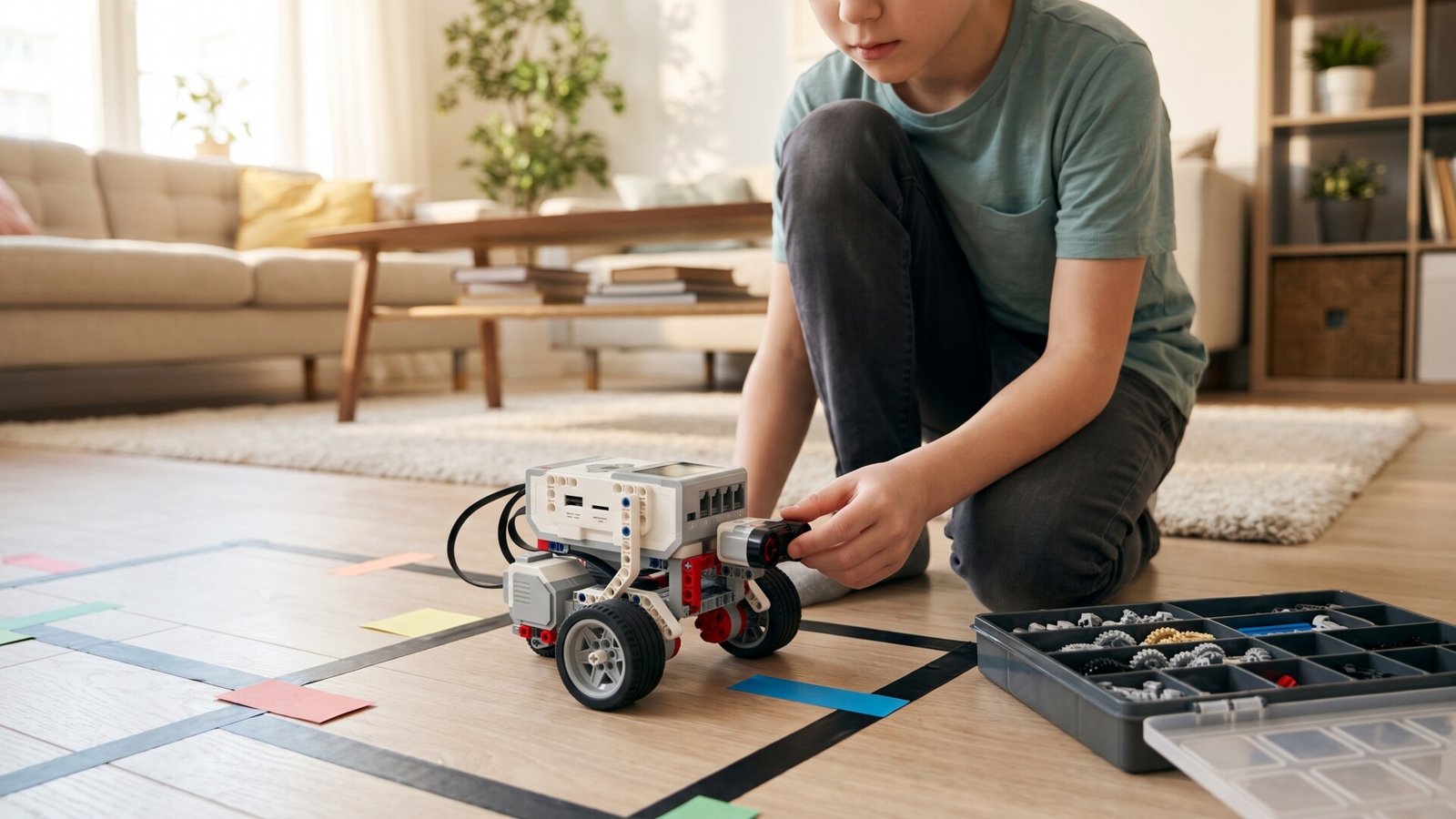
Place a strip of colored paper on the floor. Ask your child to program the EV3’s Color Sensor so the robot stops when it sees the color red.
This challenge introduces:
- Sensor threshold values
- Calibration
- Basic conditional programming (“if color = red, stop”)
5. DIY Line Follower
Tape a long black line on white paper (electrical tape works great). Create a challenge where the robot must follow the line using the Color Sensor.
Why it’s educational:
Kids learn the basics of feedback loops, error correction, and incremental adjustments.
Level up:
Make curves or intersections.
6. The Maze Escape
Build a small maze using books, toy blocks, or cardboard. Ask your child to program their robot to escape it using only sensors, not manual direction blocks.
What this teaches:
- Obstacle detection
- Loop logic
- Path planning
Your child will quickly see that robotics isn’t about perfection—it’s about problem-solving.
7. Object Pusher
Attach a simple bulldozer-style blade made from LEGO Technic pieces. The mission: push a tennis ball or small toy across the room.
Why kids love it:
It feels like a game, but they learn about torque, motor power, and traction.
Try various surfaces:
- Carpet
- Tile
- A mat
Different surfaces require different power outputs.
8. Sound-Activated Movement
Use the EV3 brick’s internal microphone. Program the robot to move only when your child claps loudly.
Teaches:
- Event triggers
- Input sensitivity
- Patience and timing
Older kids may try variations like “move on soft sound vs loud sound.”
9. Sensor-Based Guard Robot
Ask your child to create a robot that sits still until the Infrared Sensor detects motion, then it rolls forward.
This creates the foundation for:
- Security robot concepts
- Autonomy
- Conditional loops
Kids love testing this by “sneaking” past their robot.
10. The Delivery Route
Give the robot a small box or LEGO basket to “deliver” a tiny item across the room.
The goal:
Program a specific path—forward, turn, forward, stop at the destination.
This introduces early waypoint thinking, similar to how real robots navigate.
Add a twist:
Use masking tape arrows on the floor so your child can align movement to real markers.
11. The Dance Routine
Have your child choreograph a “dance” sequence using movements, spins, sounds, and lights.
Teaches:
- Sequence planning
- Timing
- Creativity in a technical context
Bonus idea:
Record the dance routine—it makes kids incredibly proud.
12. Ramp Climber
Build a simple incline using cardboard or a wooden board. Ask your child to program the robot to climb it without sliding backward.
This challenge teaches:
- Motor torque
- Traction
- Structural reinforcement
Kids will see that heavier attachments affect climbing ability—an engineering lesson in disguise.
13. Drag Race Challenge
Create a straight racetrack on the floor. The task is to make the robot cross it as fast as possible—without crashing.
What kids discover:
- High motor power isn’t always optimal
- Precision vs speed trade-offs
- Control matters
They’ll enjoy trying different wheel designs and gear ratios if you have spares.
14. Follow-the-Beacon Mission
Use the EV3’s Infrared Beacon. Ask your child to program the robot to follow the beacon as they walk slowly around the room.
Teaches:
- Remote-signal tracking
- Slope correction
- Dynamic adjustments
Kids often turn this into a game, like “robot pet follows you around.”
15. The Grabbing Robot
If your kit includes parts to build a basic gripper (like the EV3 GRIPP3R), challenge your child to pick up a soft foam ball and carry it to a target spot.
Skills learned:
- Mechanical design
- Servo control
- Precision programming
Try different object sizes so kids must adjust their code.
16. Sumo Wrestling Bot
Make a circular ring on the floor using tape. Two EV3 robots battle by pushing each other out of the circle.
Even with one robot, your child can test designs against a static obstacle or “dummy” robot built from bricks.
This challenge teaches:
- Center of gravity
- Force
- Strategy
- Quick iterative redesign
It’s one of the most exciting builds for kids.
17. Wall-Follower Robot
Ask your child to make the robot drive along a wall at a set distance using the infrared sensor.
Why it’s so advanced:
Kids learn proportional movement—one of the foundations of real robotics.
Your child will experiment with:
- Staying too close
- Drifting away
- Adjusting power levels dynamically
It’s a genuine engineering task.
18. Timed Challenge Course
Create a course of turns, obstacles, and “stop points.” The mission is to complete the course in under a set time limit.
Kids love improving their time as they refine the code.
You’ll see them:
- Optimize turns
- Reduce unnecessary movement
- Test new strategies
This is problem-solving at its best.
19. The Voice-Command Robot
With simple programming blocks, your child can make the robot react to buttons on the EV3 brick or the microphone.
Examples:
- Button 1 = move forward
- Button 2 = turn right
- Button 3 = turn left
- Clap = stop
This encourages kids to think about user interfaces—how humans tell robots what to do.
20. Build-Your-Own-Robot Challenge
Give your child complete freedom. No instructions. No rules.
Ask:
“Build a robot that does something—anything you want.”
This challenge develops the deepest learning because your child must:
- Imagine a robot
- Build it
- Program it
- Test it
- Redesign it
- Keep refining
It’s the closest a child gets to real engineering work at home.
Common creations include:
- Robot dogs
- Robotic arms
- Mini forklifts
- Sorting robots
- Racing bots
- Drumming robots
- Vacuum-style cleaning bots (using a pushing blade)
This is the mission that often leads children into advanced robotics pathways later on.
How to Keep Challenges Fresh
Once your child completes several challenges, here are simple ways to keep motivation high:
- Add music or sound-based missions
- Introduce building restrictions (only small pieces, only beams, etc.)
- Have them teach a sibling how to build
- Film each challenge and create a “robot portfolio”
- Celebrate every success and every redesign
- Encourage them to recreate real-world machines
Kids learn more when they feel like their robot has a purpose.