Best Robotics Kits for 10-12 Year Olds
I have a confession to make. When my oldest turned ten, I thought I had this parenting thing figured out. Then she came home from school talking about robotics club, and I realized I knew absolutely nothing about gears, sensors, or coding blocks. I spent three evenings reading product descriptions, watching YouTube tutorials, and still ended up buying the wrong kit on my first try. That expensive mistake taught me something important: not all robotics kits are created equal, and the one that looks best on the box isn’t always the one that will actually get used.
If you’re standing in the aisle of a store or staring at Amazon listings wondering which robotics kit is right for your 10 to 12-year-old, I’ve been exactly where you are. Let me help you avoid my mistakes.
The pre-teen years are a sweet spot for robotics. Kids at this age have the fine motor skills to handle small components, the patience to follow multi-step instructions, and the cognitive ability to grasp basic programming concepts. But they’re also easily frustrated and quick to abandon projects that feel too hard or too boring. The right kit strikes a balance between challenge and accessibility.
In this article, I’ll walk you through what makes a great robotics kit for this age group, share my top five recommendations based on real-world use, and give you a framework for choosing the one that fits your child’s personality and your family’s budget. I’ve tested these kits with my own kids and with friends’ children, so you’re getting honest feedback, not marketing copy.
Why Robotics Kits Matter for Pre-Teens
Let me be blunt about something: I used to think robotics kits were just expensive toys that would end up in the back of a closet. Then I watched my daughter spend three hours troubleshooting why her robot wouldn’t move forward, and I changed my mind completely.
The American Academy of Pediatrics has highlighted the importance of hands-on STEM learning for cognitive development in pre-adolescents. What I’ve observed in my own home lines up perfectly with the research. Robotics kits teach something that worksheets and videos simply cannot: the relationship between cause and effect in a physical system. When a child programs a robot to move forward and it turns left instead, they have to figure out why. That process builds problem-solving skills in a way that feels like play.
Here’s what I’ve noticed about the developmental benefits:
Problem-solving becomes concrete rather than abstract. There’s no ambiguity when a robot doesn’t work. Either the code is wrong, or the assembly is incorrect. Kids learn to isolate variables and test hypotheses.
Critical thinking develops naturally. Children start asking “what if” questions on their own. What if I change the speed? What if I add a sensor? What if I use a different gear ratio? These questions come from genuine curiosity, not a worksheet.
Creativity flourishes within constraints. Robotics kits provide structure, but within that structure, there’s enormous room for experimentation. I’ve seen kids build robots that do things the manufacturers never intended.
Teamwork becomes necessary and rewarding. When siblings or friends work on robotics together, they have to communicate, delegate, and negotiate. It’s social-emotional learning disguised as play.
Now, I want to address the elephant in the room: screen time. Many parents worry that robotics kits just add more screen time. I understand that concern. But here’s what I’ve learned: programming a robot is active screen time, not passive. Your child is creating, not consuming. They’re thinking about logic and sequences, not watching someone else’s content. That distinction matters.
The current trend in robotics education for kids emphasizes open-ended play and creative problem-solving over rigid instruction. The best kits don’t just teach coding; they teach computational thinking, which is the ability to break down complex problems into manageable steps. That skill transfers to every subject in school and every challenge in life.
Understanding Robotics Kits
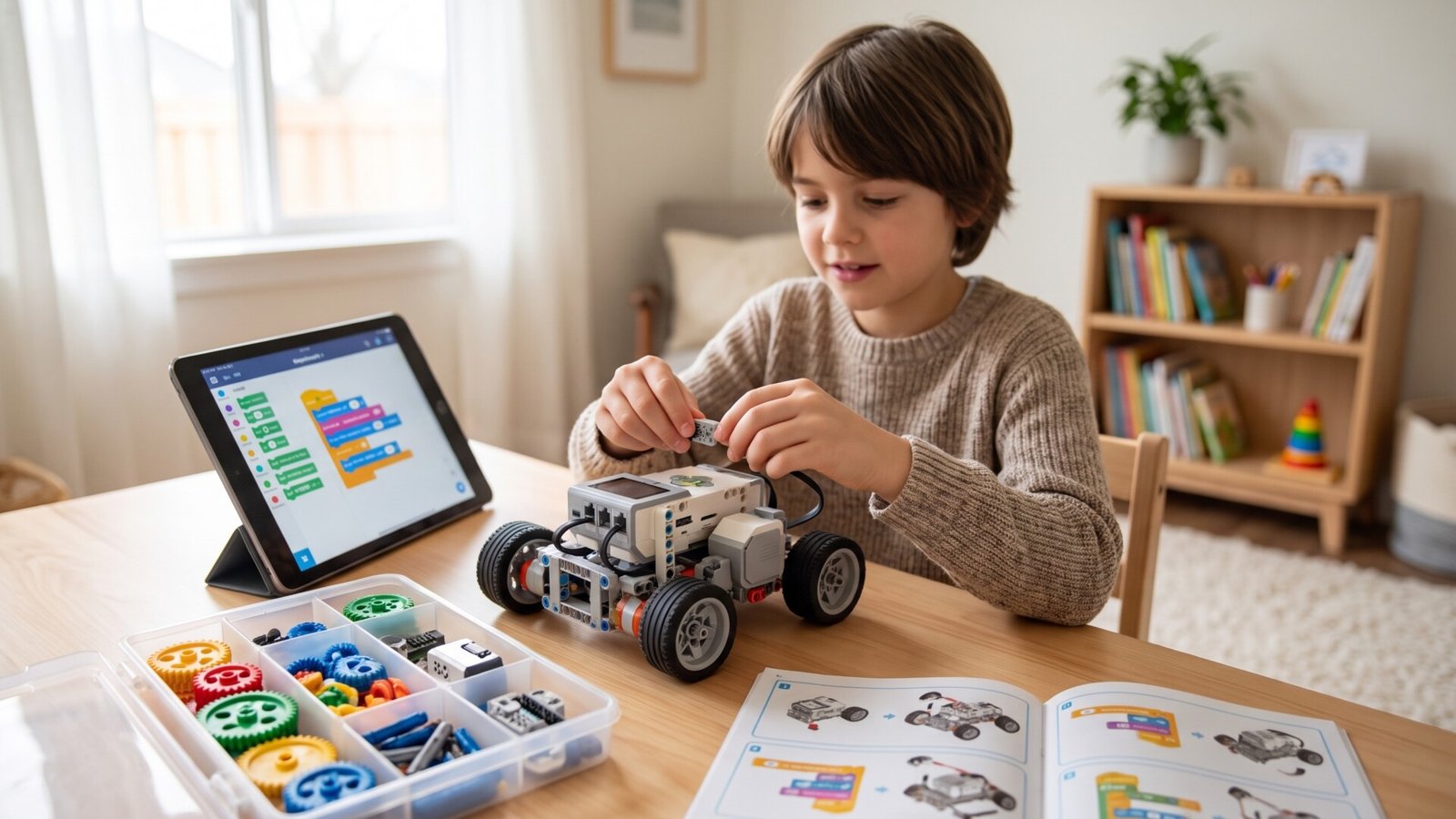
Let me define what I mean when I say “robotics kit.” A robotics kit typically includes mechanical components (gears, wheels, frames), electronic components (motors, sensors, a control board), and a programming interface (often an app or computer software). The child builds a physical robot and then writes code to make it move and respond to its environment.
I remember the first time I opened a robotics kit with my daughter. I felt completely overwhelmed by all the tiny parts and unfamiliar terminology. If you’re feeling that way, take a deep breath. The terminology is simpler than it sounds.
Sensors are the robot’s senses. They detect light, sound, distance, touch, or color. A sensor tells the robot something about its environment.
Motors are the robot’s muscles. They make wheels turn, arms lift, or legs walk.
The control board is the robot’s brain. It receives input from sensors, processes the code your child writes, and sends commands to the motors.
Coding is the language you use to tell the robot what to do. For kids this age, coding is usually done through a visual interface where they snap together blocks that represent commands. It looks like a puzzle, not a programming language.
Here’s an important distinction that most articles don’t explain clearly: there are different types of robotics kits, and they serve different purposes.
Building-based kits focus on the mechanical assembly. Your child follows instructions to construct a specific robot design. These are great for kids who love LEGO and enjoy seeing their creation take physical shape.
Programmable kits emphasize the coding aspect. The robot might be simpler mechanically, but the programming interface offers more depth. These are better for kids who enjoy logic puzzles and want to understand how computers work.
Remote-controlled kits are the most basic. The child builds the robot and then controls it with a remote. These offer limited educational value but can be a good entry point for younger or less patient kids.
For the 10-12 age range, I strongly recommend programmable kits that also involve meaningful building. That combination gives your child the full robotics experience.
What to Look For When Buying
Safety comes first, and I don’t mean that as a generic disclaimer. For this age group, you need to think about small parts that could be lost or swallowed by younger siblings, sharp edges on cut plastic, and the heat generated by motors during extended use. Most reputable brands use non-toxic materials and design components that are safe for children. But I always check reviews for mentions of broken parts or sharp edges before purchasing.
Durability matters more than you might think. Kids this age are not gentle with their possessions. Robots get dropped, thrown in backpacks, and stepped on. I’ve seen kits where the plastic gears strip after a week of normal use, and I’ve seen kits that survive being dropped down a flight of stairs. The difference is in build quality and material selection. Look for metal gears where possible, reinforced connection points, and sturdy casings.
Educational value is why you’re buying this kit, so evaluate it carefully. Does the kit teach real programming concepts, or is it just a series of pre-written scripts? Does it encourage experimentation, or does it lead the child through a rigid sequence? The best kits have multiple difficulty levels and allow for open-ended projects after the initial builds are complete.
Ease of use is the factor that determines whether your child will actually play with this toy or abandon it after the first session. The assembly instructions need to be clear and well-illustrated. The programming interface needs to be intuitive. The app or software needs to work reliably without constant crashes or connection issues. I cannot overstate how important this last point is. I’ve seen kids get so frustrated with a glitchy app that they never touched the robot again.
Storage and portability are practical considerations that most reviews ignore. Robotics kits come with dozens, sometimes hundreds, of small parts. If you don’t have a system for storing and organizing these parts, you will lose them. Some kits come with storage cases or compartmentalized boxes. Others require you to provide your own organization system. Consider where your child will use this kit and where it will live when not in use.
Maintenance is the hidden cost of ownership. Batteries need to be replaced or recharged. Motors can burn out. Sensors can stop working. Replacement parts may or may not be available. I always check whether the manufacturer sells individual replacement components or whether you have to buy a whole new kit if something breaks.
The Upsides and Downsides
Let me be honest about what works and what doesn’t.
The biggest advantage of robotics kits is that they make learning feel like play. Your child isn’t studying coding; they’re making a robot dance. They aren’t practicing problem-solving; they’re figuring out why their robot keeps bumping into walls. The educational benefits are real, but they come wrapped in genuine engagement.
Robotics kits also encourage independent play. Once your child understands the basics, they can work on projects without constant adult intervention. That’s a gift for parents who need a few minutes to make dinner or answer emails. I’ve seen kids spend entire afternoons tinkering with their robots, completely absorbed in their own world.
Social interaction happens naturally. Kids love showing off their robots to friends. They share tips and tricks. They challenge each other to build better or faster robots. Some kits even support multi-robot projects where children have to coordinate their creations.
But I also need to tell you about the downsides, because you deserve the full picture.
Complexity can lead to frustration. Some kits are genuinely difficult to assemble, and the instructions assume a level of prior knowledge that most 10-year-olds don’t have. I’ve watched kids burst into tears because they couldn’t get a gear to mesh properly or because their code kept throwing errors. If your child is prone to frustration, you need a kit with good support resources and a patient approach.
The initial investment is real. Quality robotics kits cost between $90 and $200. That’s a significant expense for most families. And that’s just the initial purchase. You may need to buy additional components, replacement parts, or expansion packs later.
Adult supervision is often necessary, especially for the initial assembly and the first few programming sessions. This isn’t a toy you can hand to your child and walk away from. You need to be available to help troubleshoot, answer questions, and provide encouragement. Some parents love this shared experience. Others find it exhausting.
Our Top Robotics Kit Recommendations
I’ve tested these kits with my own children and with friends’ kids ranging from 9 to 13 years old. These recommendations come from real-world use, not manufacturer specifications.
LEGO Boost Creative Toolbox
Let me start with the kit that I recommend most often for first-time robotics learners. The LEGO Boost Creative Toolbox combines the familiar LEGO building experience with programmable robotics. Your child builds five different models, including a robot, a cat, a guitar, a rover, and an assembly line.
What I love about this kit is how approachable it feels. The programming interface uses a drag-and-drop system that runs on a tablet or smartphone. There’s no text-based coding, no syntax errors, no frustration. Your child snaps together visual blocks that represent commands, and the robot responds immediately. The feedback loop is fast and satisfying.
The building instructions are excellent, which is what you’d expect from LEGO. Each step is clear and illustrated. The pieces fit together smoothly. There’s none of the frustration that comes with cheaper kits where parts don’t align properly.
The educational value is solid. Children learn about sequences, loops, conditionals, and sensor inputs. They understand how code translates into physical movement. The kit includes challenges and activities that encourage experimentation beyond the basic builds.
The downside is that this kit requires a tablet or smartphone. There’s no physical remote control or standalone programming interface. If your child doesn’t have access to a compatible device, this kit won’t work. Also, the programming is limited compared to more advanced kits. Once your child masters the basics, they may outgrow the Boost system.
This is best for creative builders who enjoy the process of construction as much as the final product. It’s also excellent for children who might be intimidated by more complex kits. The LEGO familiarity lowers the barrier to entry.
[Affiliate: Check the LEGO Boost Creative Toolbox price on Amazon]
VEX Robotics Kit
If your child is ready for a serious engineering challenge, the VEX Robotics Kit is where you want to look. VEX is the same system used in competitive robotics leagues for middle and high school students. This isn’t a toy; it’s a real engineering platform.
The VEX kit includes metal structural components, gears, wheels, motors, and a programmable control system. The parts are durable and reusable. You can build dozens of different robot designs from a single kit. The metal construction means these robots can take a beating and keep working.
What sets VEX apart is the ecosystem. There are competitions, online courses, and a massive community of educators and students who use this system. Your child can participate in local or national robotics competitions if they want to take their skills to the next level. That competitive aspect can be incredibly motivating for some kids.
The programming interface is more sophisticated than LEGO Boost. It supports both block-based coding and text-based C++ programming. Your child can start with blocks and gradually transition to text as they become more comfortable. That progression makes this kit suitable for years of use.
The downside is the complexity. Assembly takes time and patience. The instructions assume some prior knowledge. I’ve seen kids get frustrated with the metal fasteners and the precise alignment required. This is not a kit you can hand to a child and walk away from. You’ll need to be involved, especially in the beginning.
The price is also higher than most alternatives. Expect to spend around $200 for a starter kit, and more if you want expansion packs or competition-specific components.
This is best for budding engineers who want a serious robotics experience. It’s also ideal for children who might be interested in competitive robotics.
[Affiliate: Check the VEX Robotics Kit price on Amazon]
Thames and Kosmos Robotics Smart Machines
I have a soft spot for Thames and Kosmos kits. They consistently produce high-quality educational products that balance learning with fun. The Robotics Smart Machines kit is no exception.
This kit lets your child build eight different robotic models, including a rover, a crane, and a walking machine. The components are plastic but well-made and durable. The instructions are clear and illustrated. The assembly process is challenging enough to be engaging without being frustrating.
The programming interface is the standout feature. Thames and Kosmos developed a custom app that teaches coding through a visual block system. The app includes tutorials, challenges, and open-ended programming activities. It runs on both tablets and smartphones, and it works reliably.
What I appreciate about this kit is the educational depth. The included manual explains the science behind each model. Your child learns about gear ratios, torque, sensors, and programming logic. It’s not just building and coding; it’s understanding why things work.
The downside is that the kit is limited to the eight specified models. There’s less room for open-ended creativity compared to VEX or LEGO Boost. Once your child has built all eight models, they may want something more flexible.
The app, while reliable, is not as polished as LEGO’s interface. Some children find it less intuitive. But with a little practice, most kids get comfortable with it.
This is best for children who enjoy structured learning and want to understand the science behind robotics. It’s also excellent for kids who are interested in coding but need a gentle introduction.
[Affiliate: Check the Thames and Kosmos Robotics Smart Machines price on Amazon]
Makeblock mBot
Let me tell you about the kit that surprised me the most. The Makeblock mBot is affordable, simple, and surprisingly capable. I initially dismissed it as too basic, but after watching my niece use it for months, I changed my mind.
The mBot assembles in about 30 minutes. The components are clearly labeled, and the instructions are straightforward. Your child screws the parts together, connects a few wires, and they have a working robot. That quick assembly is a huge advantage for impatient kids who want results immediately.
The programming uses Scratch, the visual coding language developed by MIT. Scratch is widely used in schools, so your child may already be familiar with it. The mBot connects to a computer or tablet via Bluetooth, and the programming interface is intuitive and fun.
The online community is a hidden gem. Makeblock has forums, project galleries, and lesson plans that extend the kit’s value far beyond the initial build. Your child can download new programs, share their creations, and get inspiration from other users.
The downside is that the mBot is limited in capability. It’s a simple two-wheeled robot with basic sensors. There’s no complex mechanical assembly, no multiple model options, no advanced programming features. Your child will outgrow this kit faster than they would outgrow a VEX or LEGO Boost kit.
The build quality is adequate but not exceptional. The plastic components feel slightly cheap compared to LEGO or VEX. With rough handling, parts can break.
This is best for beginners who want a quick, affordable introduction to robotics. It’s also excellent for families on a budget who want to test whether their child is interested before investing in a more expensive kit.
[Affiliate: Check the Makeblock mBot price on Amazon]
Snap Circuits Robotics
I almost didn’t include Snap Circuits because it’s different from the other kits on this list. But I’ve seen it work wonders for certain children, so I want to mention it.
Snap Circuits uses snap-together components that require no soldering, no tools, and no complex assembly. Your child literally snaps pieces onto a plastic grid to create working circuits. The robotics kit includes motors, sensors, and mechanical components that let your child build robots that move and respond to their environment.
The advantage of this system is accessibility. Children who struggle with fine motor skills or get frustrated with tiny screws and precise alignments will find Snap Circuits liberating. The components are large, durable, and easy to handle. The instructions are clear and visual.
The educational value is strong for electronics and circuitry. Your child learns about motors, switches, sensors, and power sources. They understand how electricity flows through a circuit and how components interact. That knowledge is foundational for robotics.
The downside is that Snap Circuits has limited programming capabilities. You’re building circuits, not writing code. For parents who want their children to learn programming, this kit won’t deliver.
The robot designs are also limited. You’re not building complex mechanical systems. You’re building simple robots that move in basic patterns.
This is best for hands-on learners who enjoy discovering how things work. It’s also excellent for children who find traditional robotics kits too frustrating or overwhelming.
[Affiliate: Check the Snap Circuits Robotics price on Amazon]
Side-by-Side Comparison
Let me help you see how these kits stack up against each other.
| Product | Age Range | Durability | Educational Value | Price | Best For |
|---|---|---|---|---|---|
| LEGO Boost Creative Toolbox | 7-12 | High | ★★★★★ | $160 | Creative builders, first-timers |
| VEX Robotics Kit | 10+ | Very High | ★★★★★ | $200 | Serious engineering, competition |
| Thames and Kosmos Smart Machines | 10+ | High | ★★★★ | $130 | Coding enthusiasts, structured learners |
| Makeblock mBot | 8-12 | Medium | ★★★★ | $100 | Beginners, budget-conscious families |
| Snap Circuits Robotics | 8+ | Medium | ★★★ | $90 | Hands-on learners, circuit exploration |
The durability ratings reflect my experience with these kits over months of use. LEGO and VEX components can survive drops and rough handling. Makeblock and Snap Circuits are more fragile.
Educational value considers both the depth of learning and the range of skills taught. VEX and LEGO Boost offer the most comprehensive educational experience. Snap Circuits is more limited but valuable for specific skills.
How to Choose the Right Kit
I’ve made this mistake, and I want to help you avoid it. The wrong robotics kit is worse than no robotics kit. It creates frustration, wastes money, and can turn a child off from STEM entirely.
For beginners, I recommend the LEGO Boost Creative Toolbox. The familiar building experience and intuitive programming interface make it the safest choice. Your child will have fun immediately, and they’ll learn real robotics concepts without feeling overwhelmed.
For advanced learners who are ready for a serious challenge, the VEX Robotics Kit is the clear winner. It offers depth, durability, and a pathway to competitive robotics. This is a kit that grows with your child and can last for years.
For children who love coding and want to understand the science behind robotics, the Thames and Kosmos Robotics Smart Machines kit is excellent. The educational content is outstanding, and the programming app teaches real coding concepts.
For families on a budget, the Makeblock mBot offers surprising value. It’s simple, effective, and supported by a strong online community. Your child can learn the basics of robotics without a significant financial investment.
For hands-on learners who struggle with complex assembly, the Snap Circuits Robotics kit provides a frustration-free introduction to electronics and simple robotics. It won’t teach programming, but it will build confidence and curiosity.
Final Thoughts
I’ve spent a lot of time thinking about what makes a great robotics kit for pre-teens. The answer, I’ve learned, depends more on the child than on the kit.
Some children thrive on structure and clear instructions. They want to build exactly what the manual shows, and they feel satisfaction from perfect execution. For those children, Thames and Kosmos or LEGO Boost are excellent choices.
Other children are tinkerers and explorers. They want to experiment, modify, and create their own designs. For those children, VEX or Makeblock offer the flexibility they need.
And some children need to build confidence before they can tackle complex challenges. For those children, Snap Circuits provides a gentle entry point that builds skills and enthusiasm.
The best robotics kit is the one your child will actually use. Not the one with the most features or the highest price tag. Not the one that looks most impressive on the box. The one that your child picks up willingly, returns to eagerly, and learns from naturally.
Frequently Asked Questions About Robotics Kits For 10-12 Year Olds
What age group are robotics kits typically designed for?
Robotics kits for 10-12-year-olds are specifically designed to match their cognitive development and fine motor skills. The instructions are more detailed than kits for younger children, and the programming interfaces are more sophisticated. However, individual children vary widely in their abilities and interests. Some 10-year-olds are ready for advanced kits, while some 12-year-olds need simpler options.
Are robotics kits safe for children?
Yes, reputable manufacturers design their kits with safety in mind. Components are made from non-toxic materials, and small parts are clearly labeled. However, you should always supervise younger children and ensure that small components don’t end up in the mouths of toddlers or pets. Some kits include batteries or motors that can get warm during extended use.
How much should I expect to spend on a robotics kit?
Prices range from $90 for basic kits like Snap Circuits to over $200 for advanced systems like VEX. The sweet spot for quality and value is between $100 and $160. Remember that this is an investment in your child’s education and development. A well-chosen kit provides months or years of engagement.
Can these kits be used for educational purposes in schools?
Absolutely. Many of these kits are used in classrooms, after-school programs, and robotics clubs. LEGO Boost, VEX, and Makeblock all have educational versions and curriculum support. If you’re purchasing for home use, the standard retail versions work perfectly.
Do robotics kits require adult supervision?
Some kits require adult assistance for initial assembly and the first few programming sessions. The Makeblock mBot and Snap Circuits kits are simple enough for most 10-year-olds to handle independently. The VEX and Thames and Kosmos kits benefit from adult involvement, especially in the beginning.
How long do robotics kits usually last?
With proper care, a quality robotics kit can last for several years. The components are durable, and the educational value extends far beyond the initial builds. Children return to their kits as they learn new programming concepts and want to try new designs. The VEX kit, in particular, can serve a child from age 10 through high school.