Learning Coding With LEGO Mindstorms at Home: A Parent-Friendly Guide
If you’ve ever wished your child could learn real coding in a way that feels fun, intuitive, and hands-on, LEGO Mindstorms has always been one of the best places to start. Even though Mindstorms as a brand has shifted over the years — from the beloved EV3 set to the newer Robot Inventor kit, to the current classroom-focused LEGO Spike Prime — the core idea has stayed the same:
Kids learn programming by building robots that actually move, react, and think.
And when you bring that learning experience into your home, coding becomes something your child doesn’t just “study”… they play it, touch it, experiment with it, and take ownership of it.
If you’re new to LEGO robotics or wondering which set is best for home learning, this guide walks you through everything you need to know — from choosing the right kit to setting up a learning routine to helping your child grow from drag-and-drop coding to real text-based programming.
1. Understanding the LEGO Robotics Family
Even though LEGO retired the “Mindstorms” brand name, all three major systems — EV3, Robot Inventor, and Spike Prime — still share the same DNA. They combine:
- LEGO building pieces
- Smart hubs with processors and Bluetooth
- Motors
- Sensors
- A coding platform (block coding + optional Python)
- Guided projects
- Freestyle building and experimentation
Here’s how each system fits into the modern home learning landscape:
EV3 (Mindstorms EV3 – the classic)
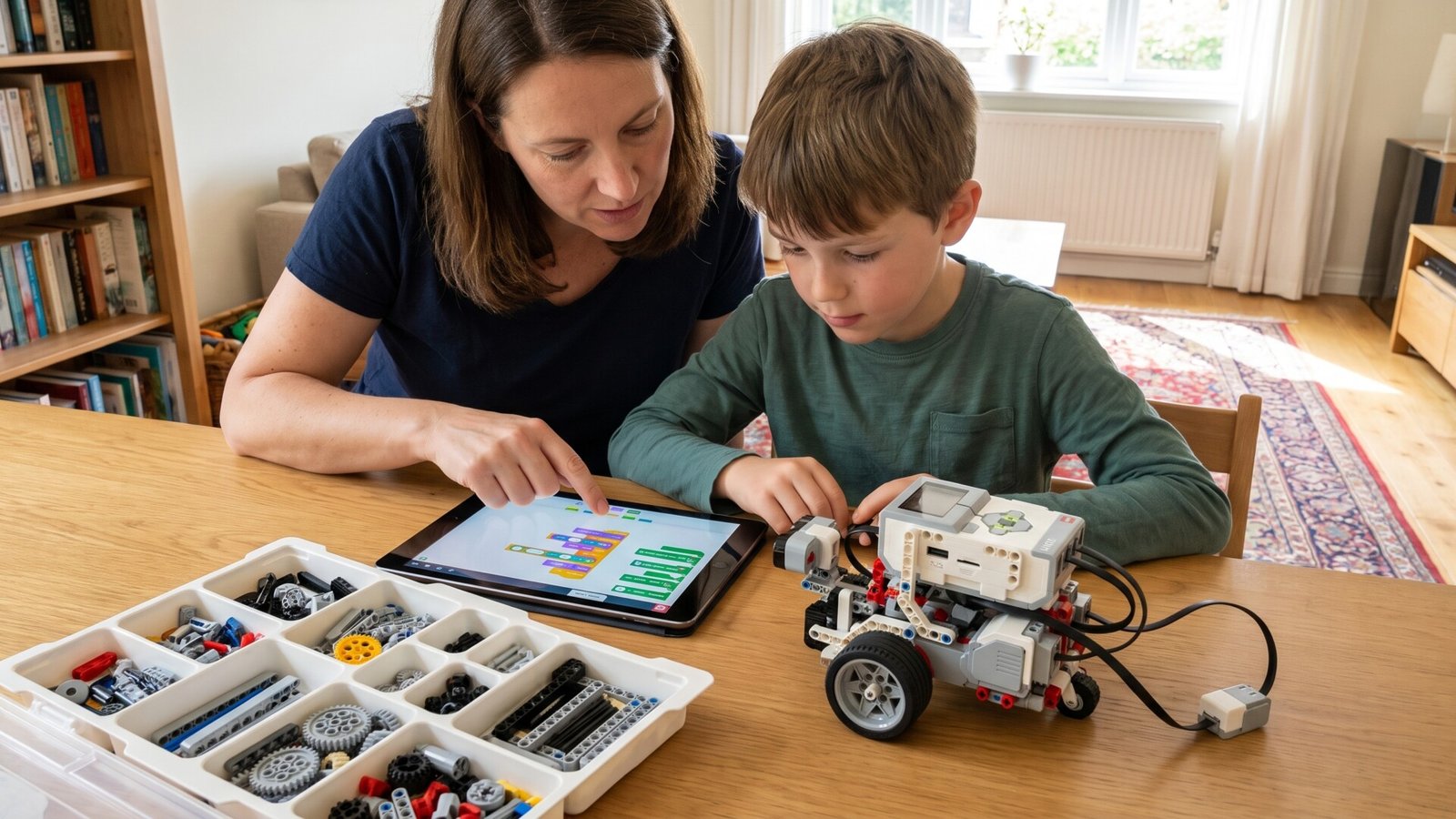
This is the set most parents remember. It’s tough, flexible, and still the most documented LEGO robotics kit ever made. If your child is the type to dive deep — making custom robots, expanding with more sensors, or competing in FIRST LEGO League — the EV3 is still a top choice.
There are thousands of free tutorials on YouTube, guides on GitHub, engineering projects online, and even full courses designed around the EV3 brick.
Robot Inventor 51515 (The “modernized” Mindstorms)
This set introduced smoother motors, a sleeker hub, and app-based coding that feels more like modern mobile games. It’s incredibly kid-friendly and great for families that want a clean, app-directed experience.
Robot Inventor comes with buildable robots like Blast, Charlie, Tricky, and M.V.P. that children can customize endlessly.
LEGO Spike Prime (The new school-standard)
Spike Prime technically replaced Mindstorms for educational use, but plenty of parents now buy it for home learning. Why?
- It has the most long-term support from LEGO
- It’s used in schools everywhere
- It teaches both block coding and real Python
- It connects beautifully with structured STEM curricula
If you want something future-proof, Spike Prime may be the best long-term investment.
2. Why LEGO Robotics Is Perfect for Home Coding
Coding can feel abstract when it’s trapped inside a screen. But when your child programs a robot to spin, navigate obstacles, or detect colors, the coding becomes real. They see cause and effect instantly.
Here’s what LEGO Mindstorms and Spike robots naturally teach:
Logical thinking
Kids learn step-by-step logic by programming sequences like:
- Move forward
- Turn
- Lift arm
- Stop
They start recognizing patterns and breaking down problems into smaller tasks — exactly what coding requires.
Debugging without frustration
With LEGO robotics, “debugging” is basically troubleshooting. If the robot doesn’t move the way a child expected, they adjust one block or reposition a sensor. It feels like a puzzle instead of a mistake.
Creativity + engineering
Your child isn’t just coding. They’re designing the robot itself — attaching motors, shaping the frame, and experimenting with balance, weight, and motion.
Confidence and independence
Kids love seeing their creations work. When they hit “Run” and their robot completes a task, the sense of accomplishment is huge.
3. What You Need to Get Started at Home
You truly don’t need much besides:
- A LEGO robotics kit (EV3, Robot Inventor, or Spike Prime)
- A tablet, Chromebook, or laptop
- Some space on the floor or table
But these extras make home learning smoother:
- A dedicated “robot mat” or a large sheet of white poster board
- Painter’s tape for marking paths
- Small objects for obstacle courses
- A box or shelf to store sensors, motors, and pieces
You don’t need a big room. A coffee-table-sized space is enough.
4. Choosing the Right LEGO System for Your Child
Every child is different. Here’s a simple way to match the kit to your child’s interests and age.
If your child loves building complex things:
Choose: EV3
Why: EV3 has the most engineering-style builds and tons of online tutorials.
If your child prefers fun characters and guided builds:
Choose: Robot Inventor 51515
Why: The five official robots feel like games, and the app is super friendly.
If you want a long-term educational path (school → home → advanced coding):
Choose: Spike Prime
Why: It supports Python, has strong curriculum support, and continues to receive updates.
If price matters:
EV3 (second-hand) and Robot Inventor can often be found for much cheaper than Spike Prime.
5. Learning at Home: What a Weekly Routine Might Look Like
You don’t need to “teach” coding the way a classroom does. But having a simple routine makes learning consistent.
Here’s an example weekly structure that works beautifully:
Day 1: Build Time (45–60 minutes)
Your child builds a robot — something from the instructions or completely custom. Building develops spatial awareness, engineering thinking, and fine motor skills.
Day 2: Basic Coding (20–30 minutes)
Start with simple block coding:
- Move forward
- Turn
- Loop actions
- Stop when sensor detects something
Robot Inventor and Spike Prime include small in-app challenges such as “move 30 cm” or “turn exactly 90 degrees.”
Day 3: Challenge Day (30–60 minutes)
Try something new like:
- Making the robot follow a line
- Using the color sensor
- Making an automated arm
- Navigating a maze
This is where the “wow” moments happen.
Day 4: Free Play (as long as they want)
Let your child experiment. Kids naturally test ideas:
- “What if the robot spins?”
- “What if I add another motor?”
- “Can I make my own robot pet?”
This is how creative problem-solving develops.
6. Fun Home Projects You Can Do With Any LEGO Robotics Kit
You can create dozens of activities at home without buying anything extra. Here are some family favorites:
● Obstacle Course Navigator
Use household items (cups, books, socks) to make a maze.
Your child programs the robot to get through it.
This teaches:
- Sequencing
- Turning angles
- Testing and retrying
● Line Follower
Use black tape on a white surface.
The robot follows the line using its color sensor.
Kids learn:
- Feedback loops
- Conditional logic (“if color is black, turn left”)
● Robot Pet / Companion
Kids build a robot dog, cat, or alien and code behaviors like:
- Bark when touched
- Blink eyes
- Move toward a color
● Delivery Robot Game
Place “packages” (LEGO bricks) in different parts of a room.
The robot must deliver them to the correct “station.”
This teaches pathfinding, priorities, and logical planning.
These projects scale with your child — simple at first, advanced later.
7. When to Introduce Python
EV3, Robot Inventor, and Spike Prime all support Python, but you don’t need to rush. Block coding builds the foundational thinking first.
Kids are usually ready for text-based coding around age 9–10, but some are ready earlier, especially if they’re naturally curious.
Here’s what makes Python a great next step:
- It’s used in real programming jobs
- It’s beginner-friendly
- The same logic from block coding transfers directly
- Kids feel “grown-up” using it
A good milestone is when your child starts asking:
“Can I make the robot do this my own way instead of using these blocks?”
When you hear that, they’re ready.
8. Encouraging Long-Term Learning (Without Pressure)
Here’s how to keep your child engaged over weeks and months:
Let them choose their builds.
Kids stay motivated when they build what they want — a dancing robot, a grabbing arm, a robot car, or something silly.
Celebrate attempts, not perfect results.
If a robot crashes into a wall or spins in circles, that’s part of the experience.
Invite them to “teach” you.
Ask them to show you how the robot works.
Kids love being the expert.
Keep sessions short.
Twenty minutes of genuine engagement beats an hour of frustration.
Mix structure and freedom.
Use the instruction booklet sometimes, but also let them invent on their own.
Learning coding at home should feel like creative exploration, not like homework.